Production Guide

Heavenly Greens — the installation department in HG Command, from sold to paid · updated October 26, 2026

1. Sold→2. Ready for approval→3. Approved→4. Scheduled→5. Crew starting→6. Completed→7. Paid
Open the full deck (30 cards) →
Open the deck in Gamma Read it as a page below ↓

Quick Navigation

  1. The 100,000-foot view
  2. The Job Pipeline
  3. New at the top: Delayed and partially complete
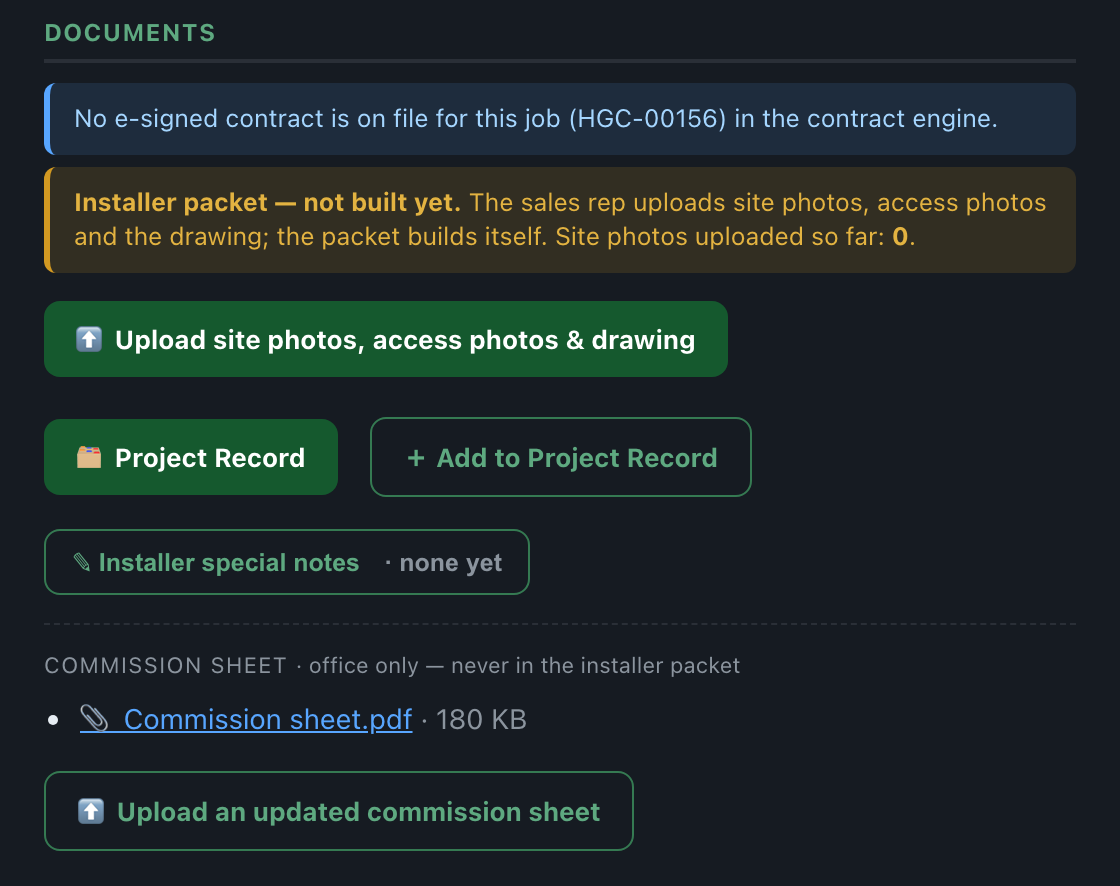
  4. Step 1 · Sold: what is still missing
  5. New · Site inspection
  6. Step 2 · Ready for office approval (automatic)
  7. Step 3 · Approve, or send it back
  8. New · Approved — not ready
  9. New · Chase the sales rep, or send it back
  10. New · Jobs moved over from Salesforce
  11. New · ⊘ Cancel project
  12. Step 4 · Ready to schedule
  13. Step 5 · Schedule the install
  14. The Installation Calendar
  15. Moving a job, and DayBack-only installs
  16. Step 6 · Delay or hold, with a reason
  17. Step 7 · The crew gets the job
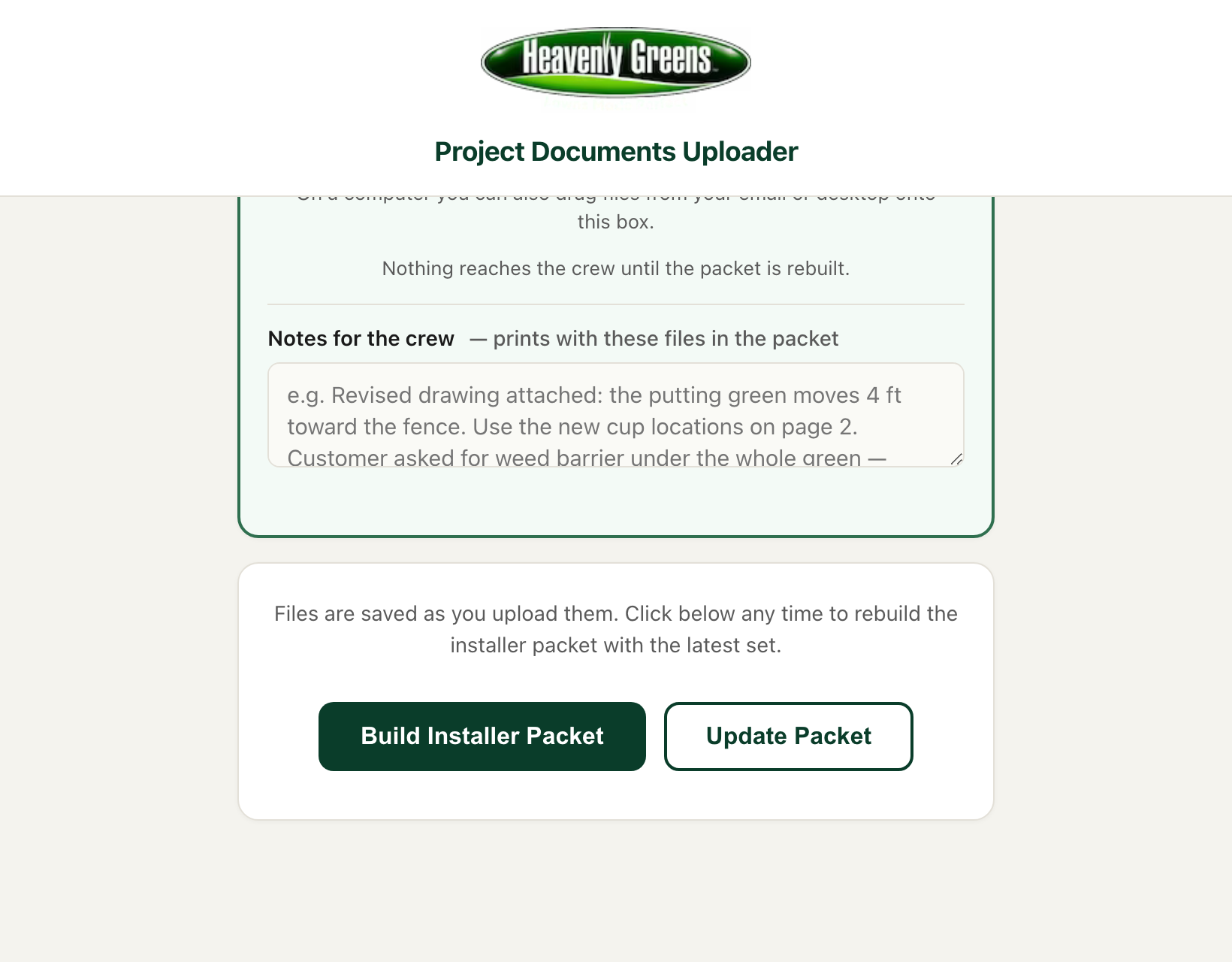
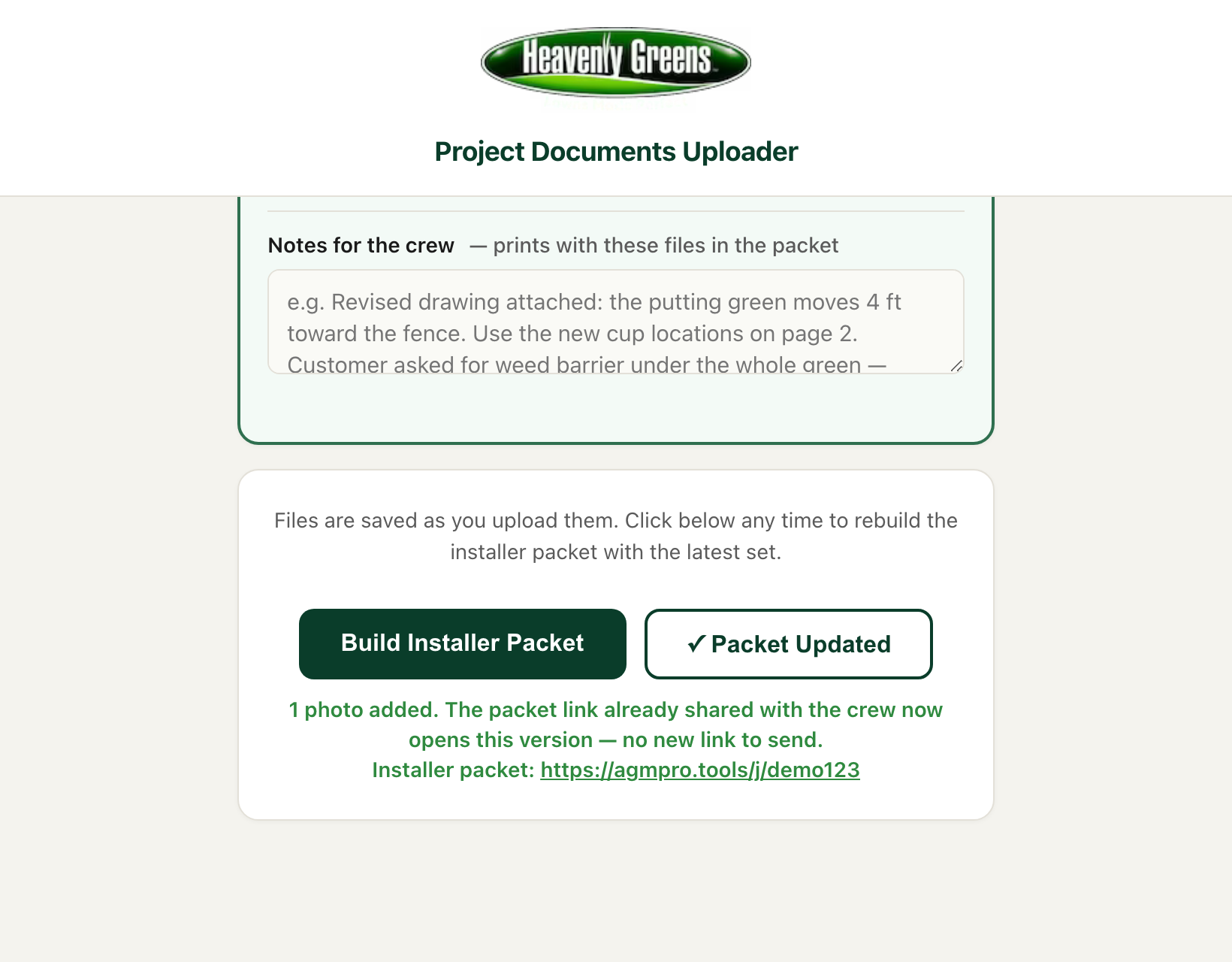
  18. New · Update Packet: same link, new version
  19. Step 8 · Crew starting (HG Direct)
  20. Step 9 · Has the crew finished? Four answers
  21. Partially complete, and Not yet
  22. Job complete, and what accounting sees
  23. New · Marked complete by mistake? Hold the payment
  24. Costco · How the money is different
  25. Costco · Step by step
  26. New · Costco collected, in the drawer
  27. Costco · Completing the job
  28. Which button, when
  29. What runs by itself, and what is off on purpose
Looking for one button? Jump to Which button, when.

Production in HG Command

How the installation department works now, from sold to paid

Heavenly Greens · updated October 26, 2026 · for Tim, John, Liz, Emma and Troy
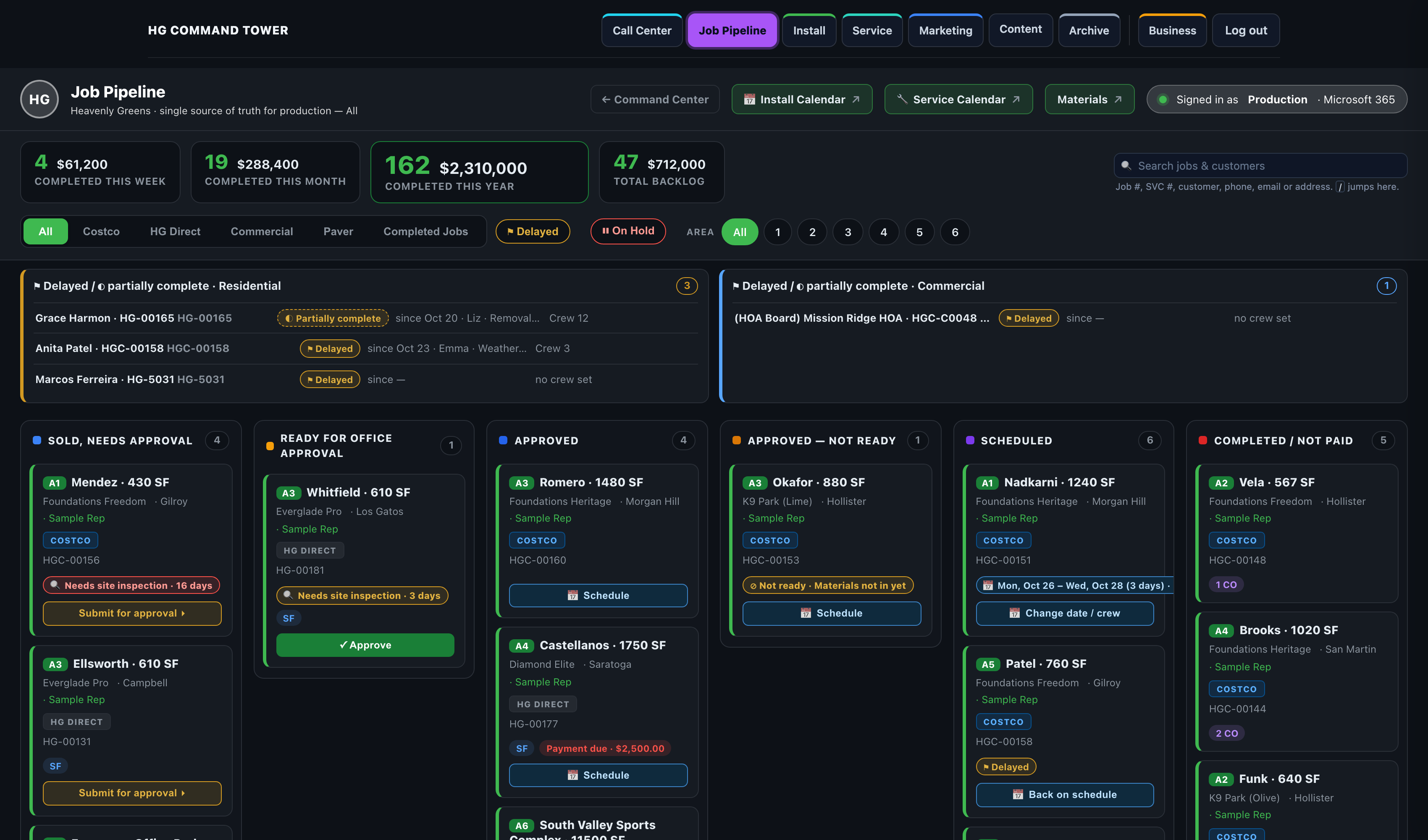
The Job Pipeline in HG Command

What this deck is: the whole production department on one set of screens: which page to open, which button to press and when, and what the system does by itself afterwards. It replaces the October 15 Installation deck and adds everything built since. Every customer and sales rep in these pictures is made up.
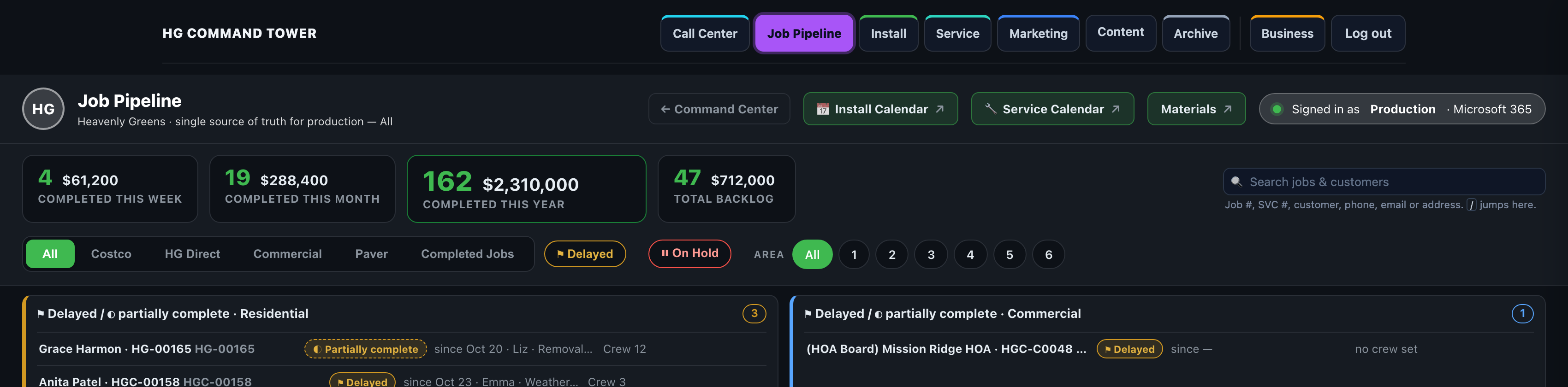
The 100,000-foot view

Every job moves through one pipeline, whether it is HG Direct or Costco:

Sold → Ready for office approval → Approved → Scheduled → Crew starting → Completed → Paid

Who What they do in HG Command
Sales rep Sells the job, uploads photos, access photos and the drawing, and answers "Site inspection needed?"
The office (John) Approves the job or sends it back with a reason
Liz and Emma Schedule it, call the customer with the date, text the installer packet link to the crew, mark Crew starting and Job complete
Eric Costco only: charges the member in CENTAH and submits the completion so Costco pays
Blas and accounting Collect every payment from the Charging Queue; match Costco's payments on Costco Recon
Tim and Troy See it all on the same boards and the morning emails

Three pages do the work: the Job Pipeline (every job and every button), the Installation Calendar (crews and days), and the uploader (photos, drawing and the installer packet). All three are on the bar across the top of HG Command.

The Job Pipeline

Open HG Command → Job Pipeline. One column per stage, every job a card.

The Job Pipeline: six columns, newest stage on the right

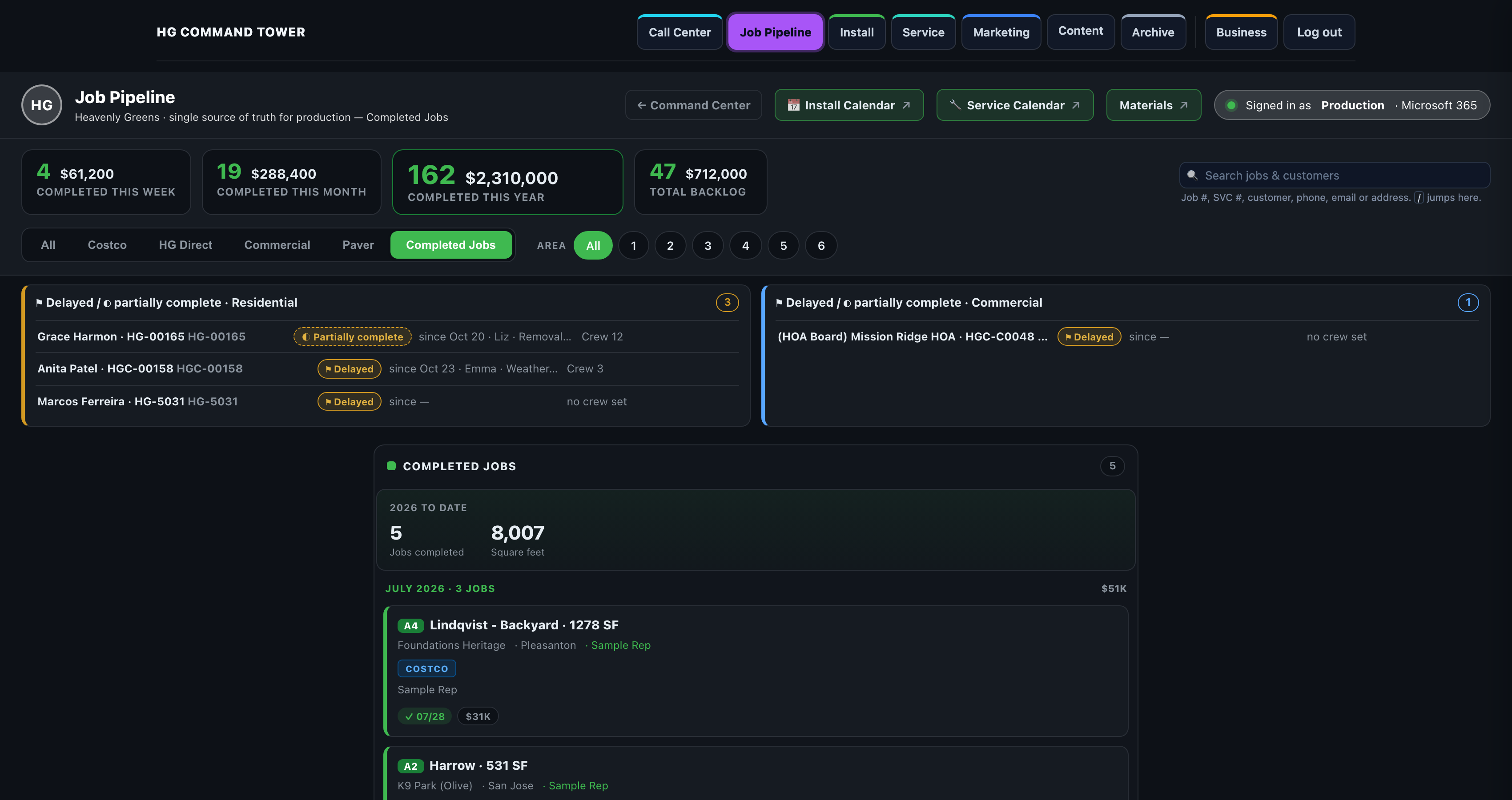
New at the top: Delayed and partially complete

Two lists sit above the board, Residential and Commercial, so a job that stopped part-way never gets forgotten.

Delayed / partially complete, Residential and Commercial

Each row shows the job, whether it is ⚑ Delayed or ◐ Partially complete, since when, who marked it, why, and the crew. Click a row to open the job. A list with more than three jobs folds; click its title to open it.

Step 1 · Sold: what is still missing

A signed job lands in Sold, needs approval. Its drawer says exactly what is missing, so nobody chases it by phone.

A sold job with no photos or drawing yet

New · Site inspection

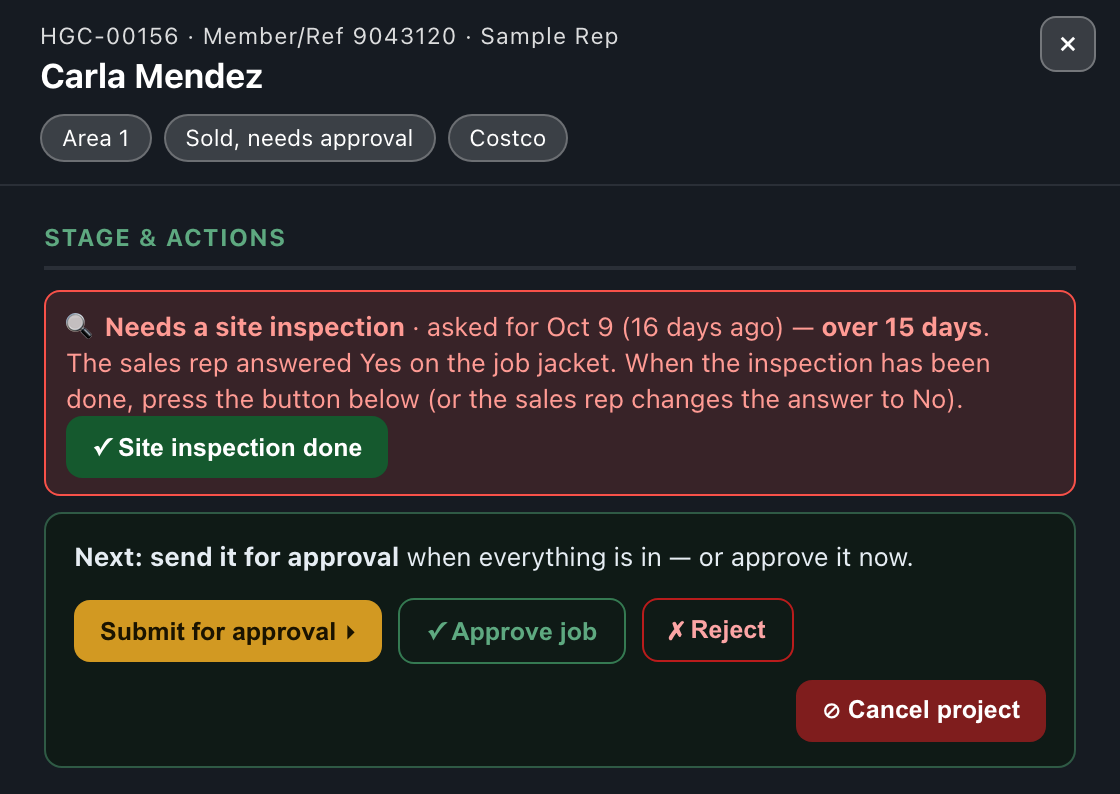
When the sales rep answers Yes to "Site inspection needed?", the card and drawer carry 🔍 Needs site inspection · N days. It turns red at 15 days.

Needs a site inspection, over 15 days
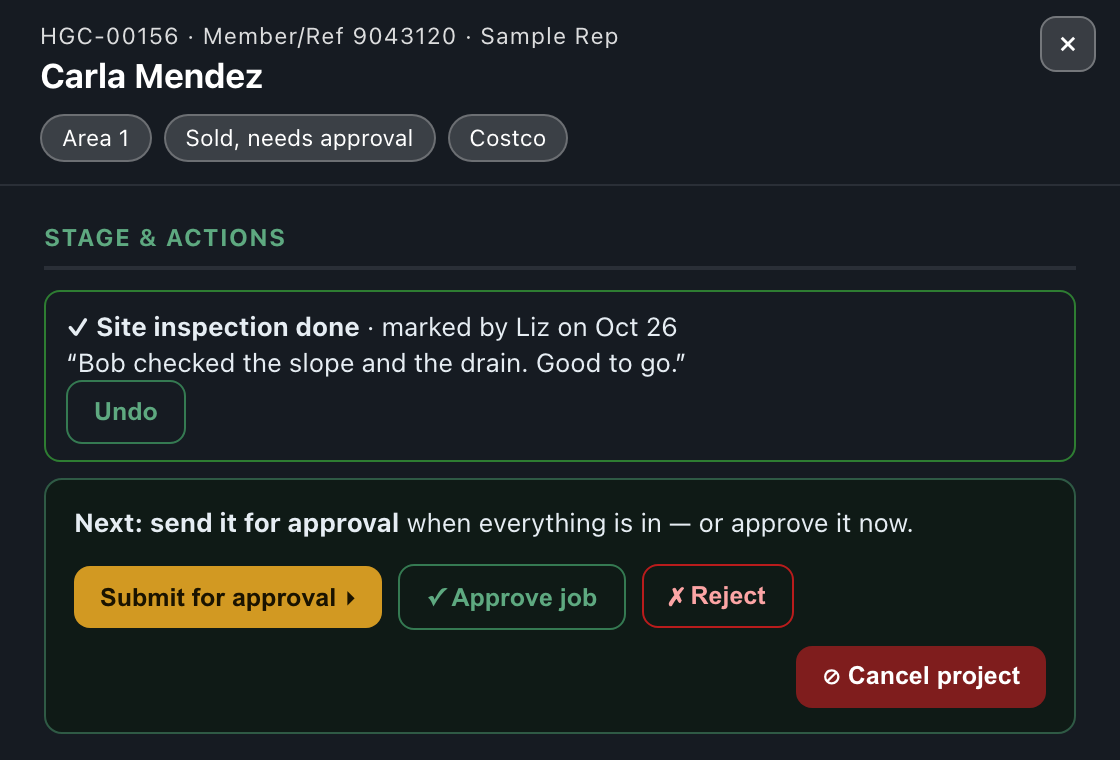
After the inspection: who marked it done and their note

Step 2 · Ready for office approval (automatic)

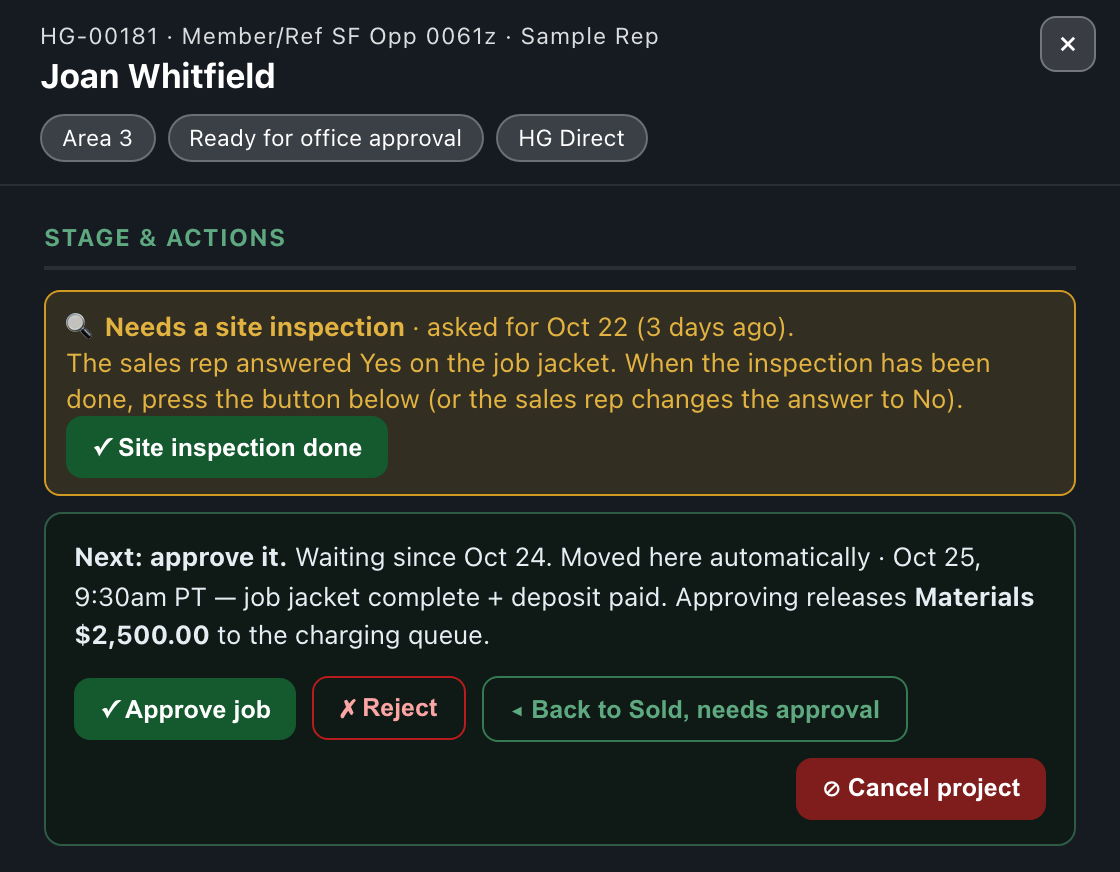
When the job jacket is complete (and, for HG Direct, the deposit is paid) the job moves to Ready for office approval by itself. A check runs every 30 minutes. The drawer says when and why.

Moved here automatically, and why

Nobody presses anything for this step. If something is missing the job stays in Sold and the drawer lists what. Costco jobs have no deposit check: Costco pays Heavenly Greens, not the customer.
Step 3 · Approve, or send it back

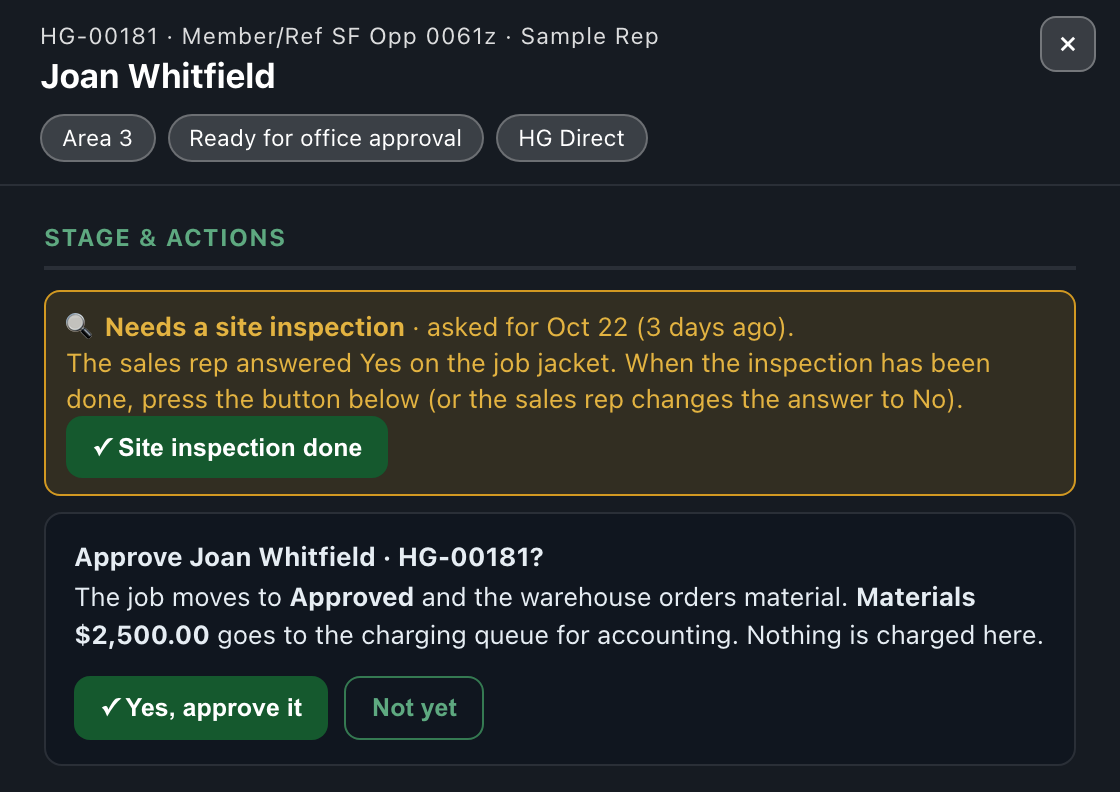
The office opens the job and presses ✓ Approve job. The confirm says what happens before anything happens.

Approve: what happens, before it happens
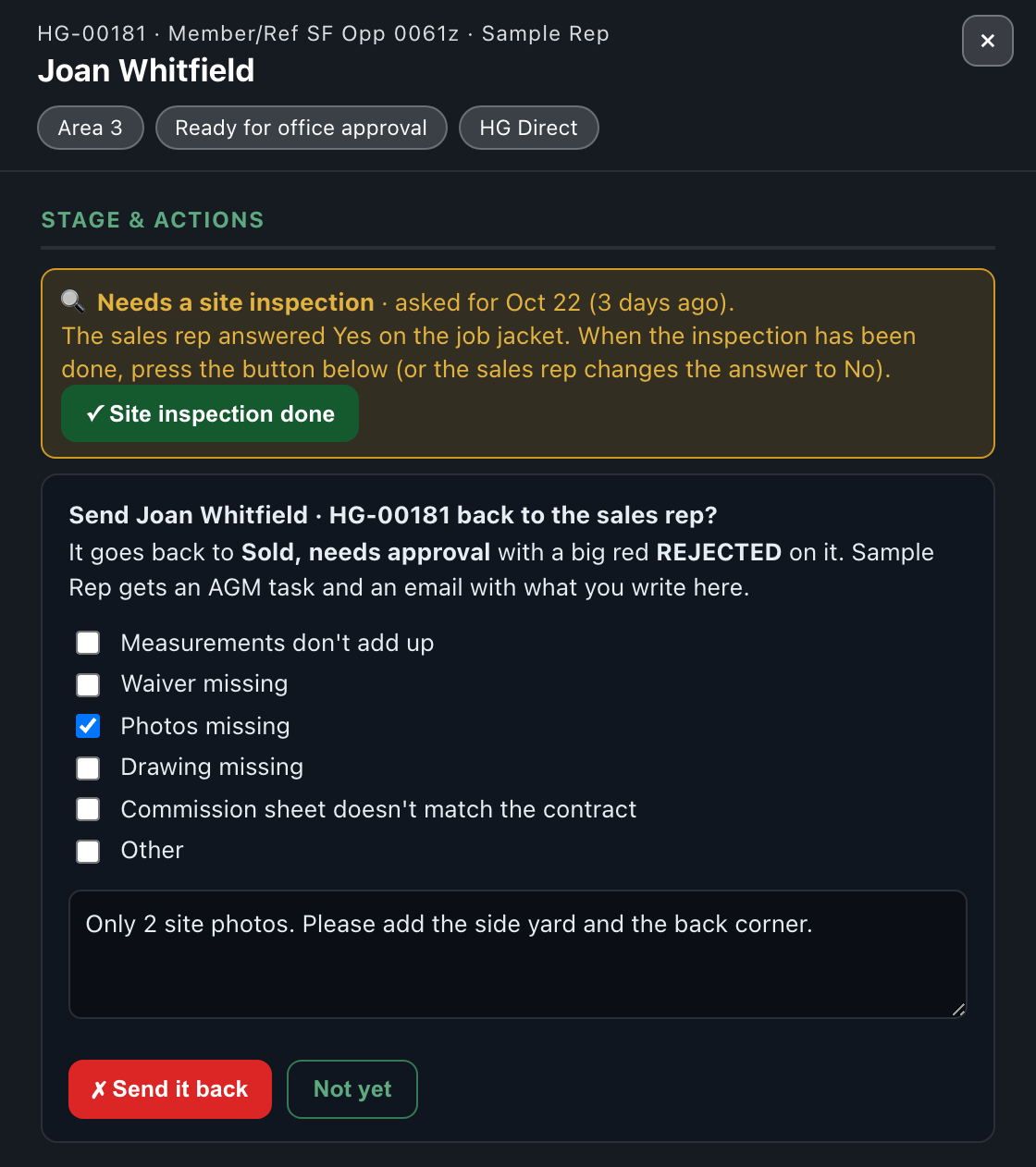
Reject: tick the reason and say what to fix

New · Approved — not ready

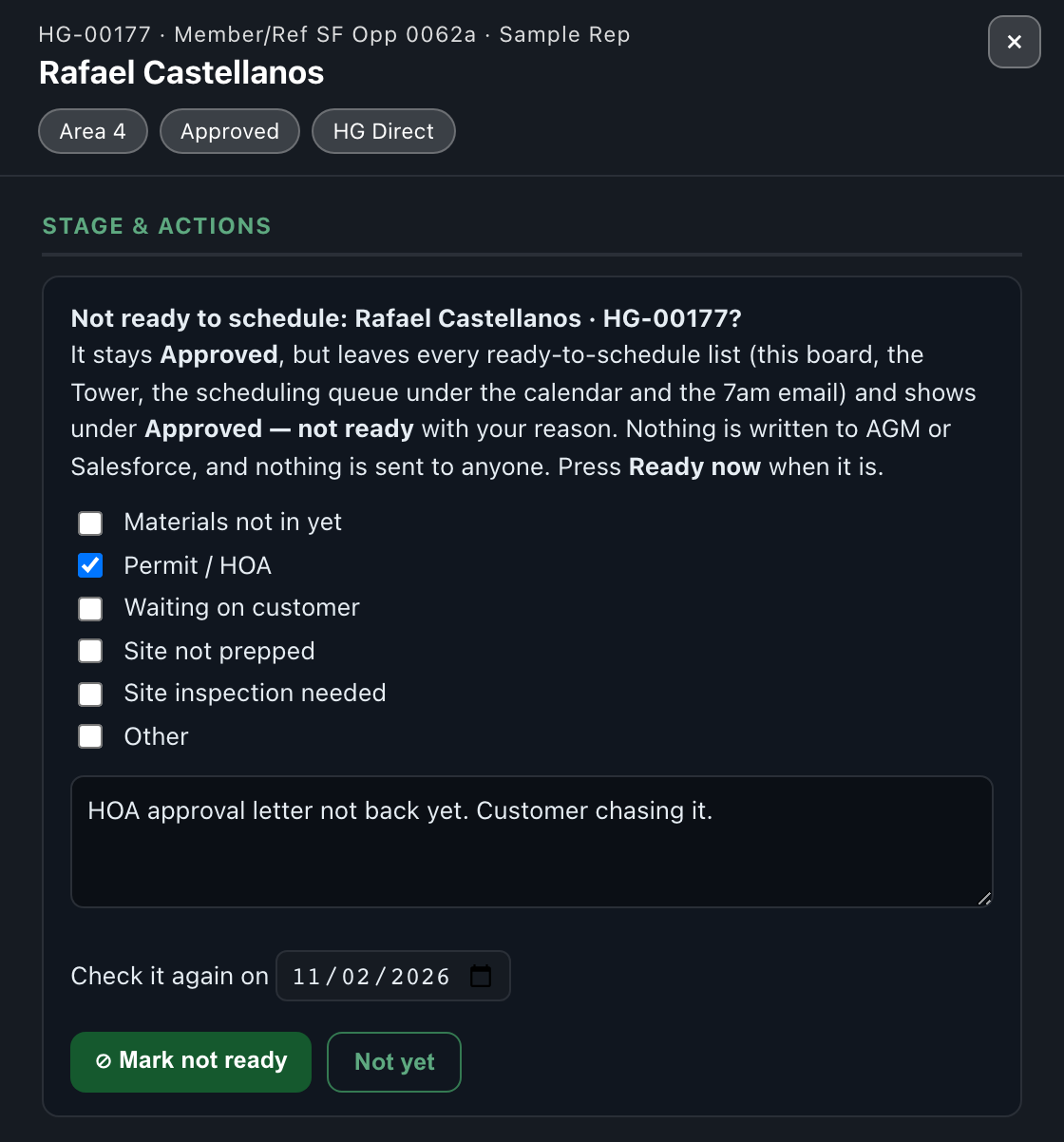
An approved job that can't really be booked yet (materials not in, permit or HOA, waiting on the customer, site not prepped, site inspection needed) gets ⊘ Not ready….

Not ready: pick why and when to look again
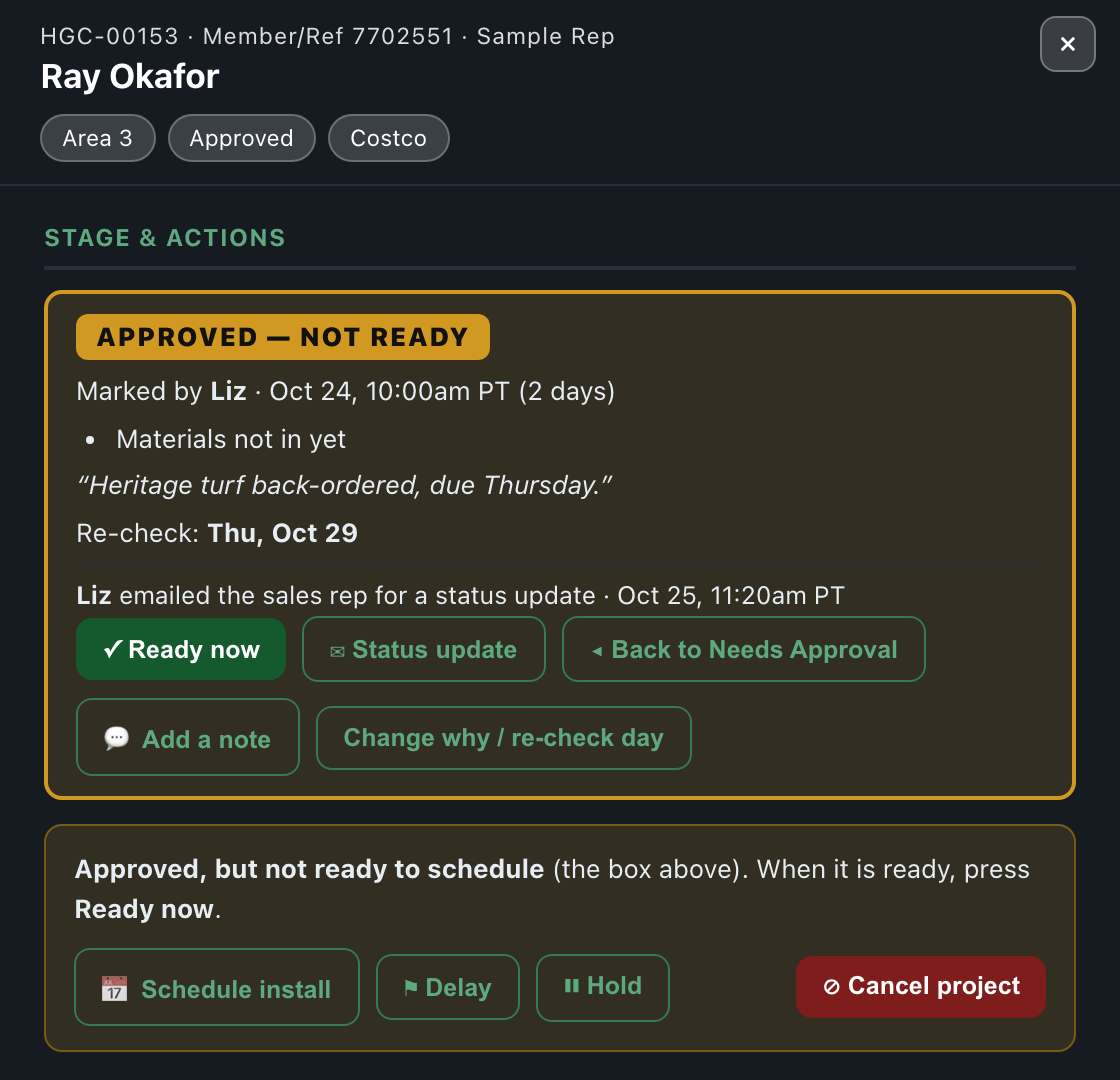
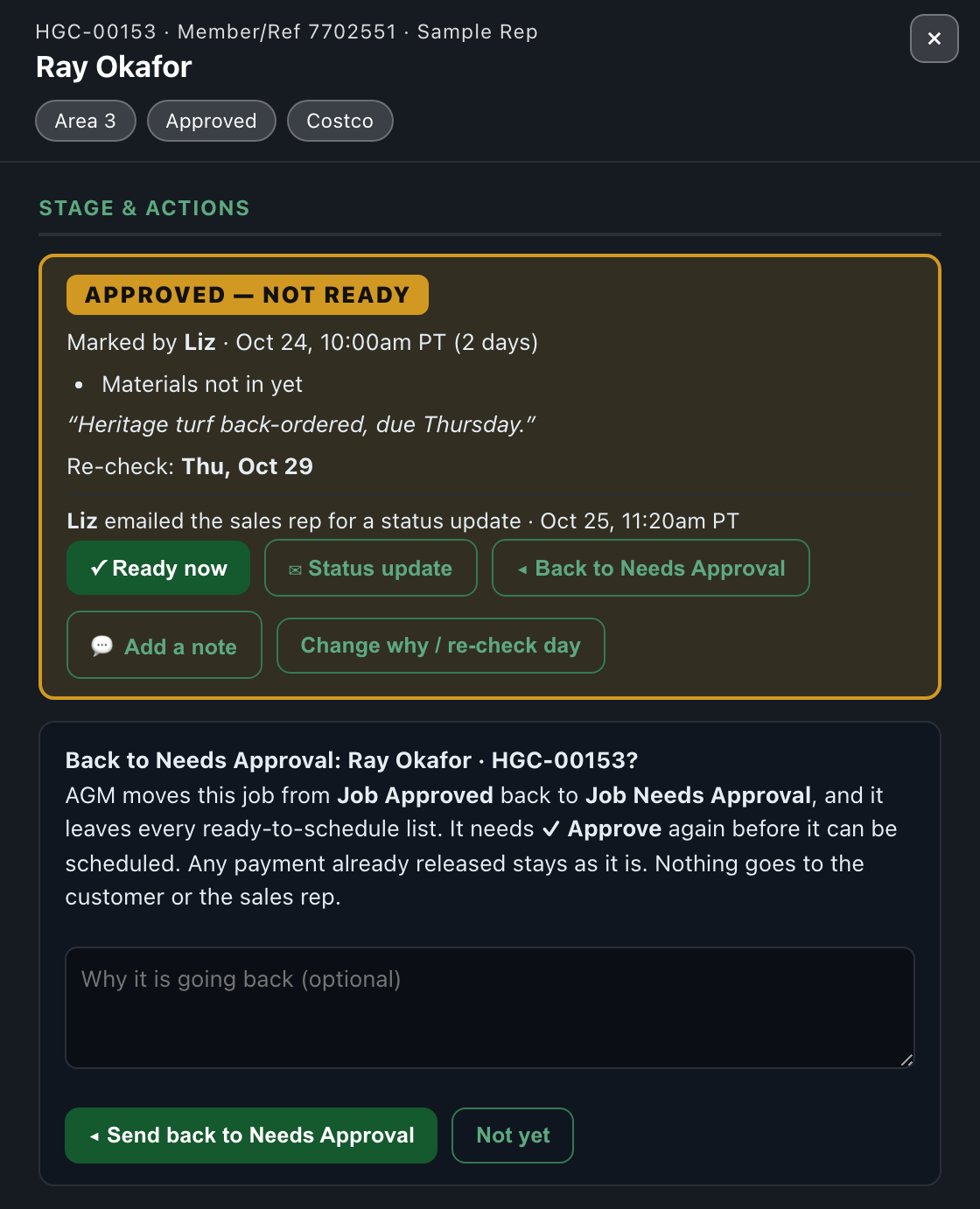
The Approved — not ready box: who, why, re-check day, and its buttons

New · Chase the sales rep, or send it back

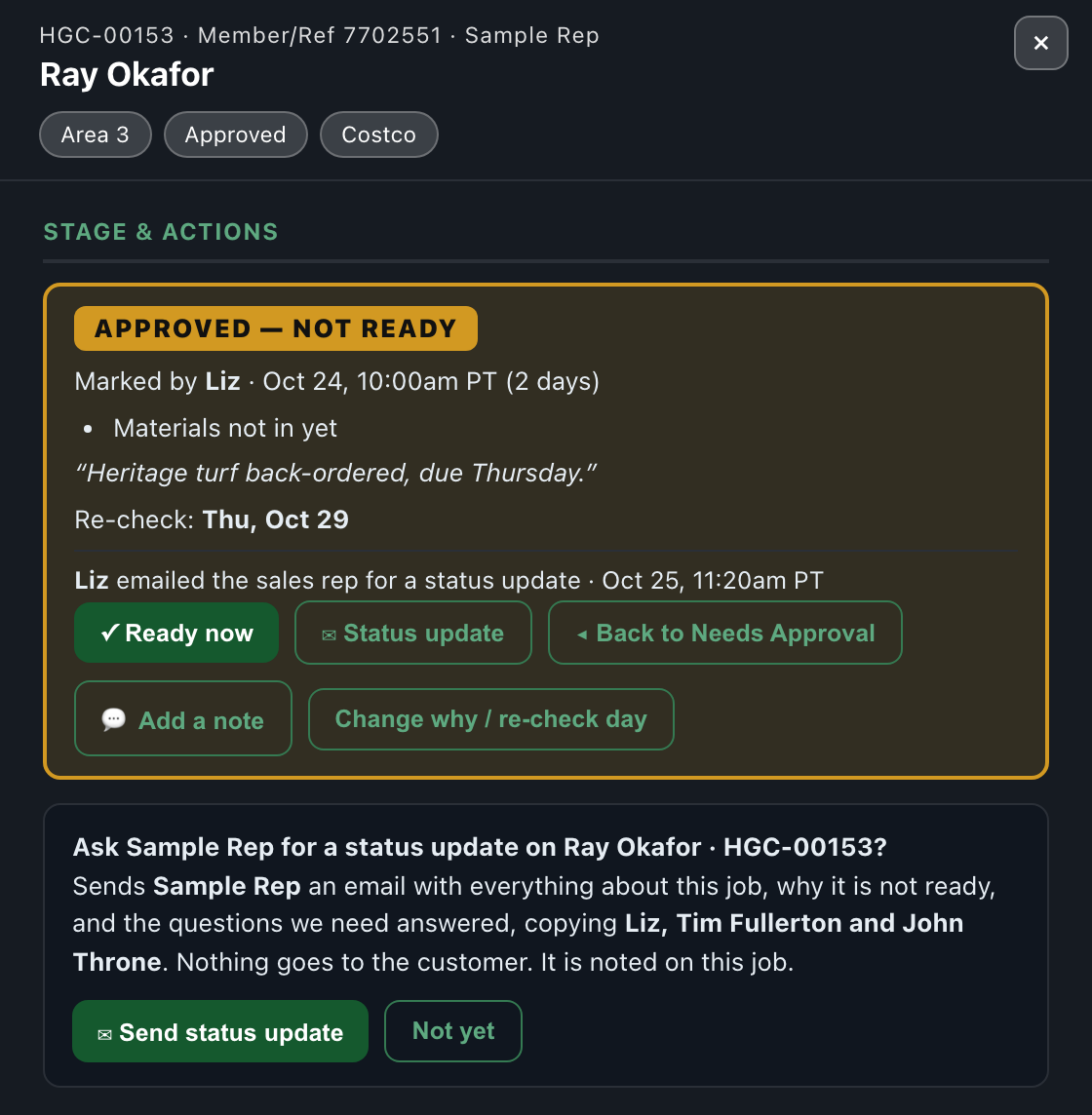
Two more buttons in the Approved — not ready box.

✉ Status update: one email to the sales rep
◂ Back to Needs Approval

New · Jobs moved over from Salesforce

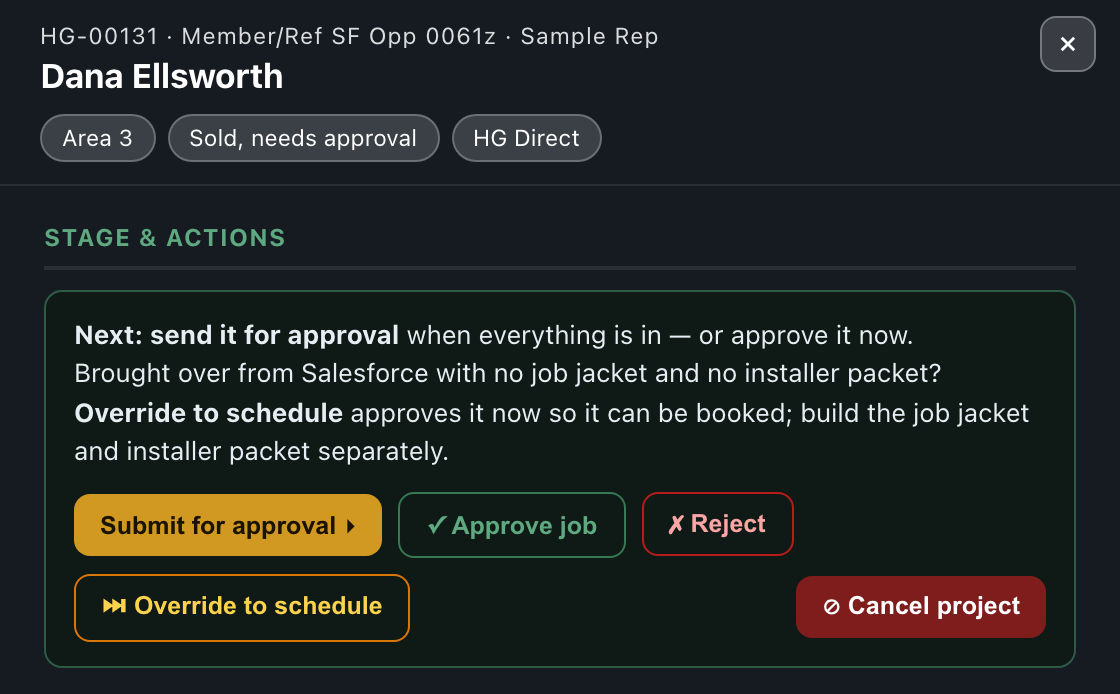
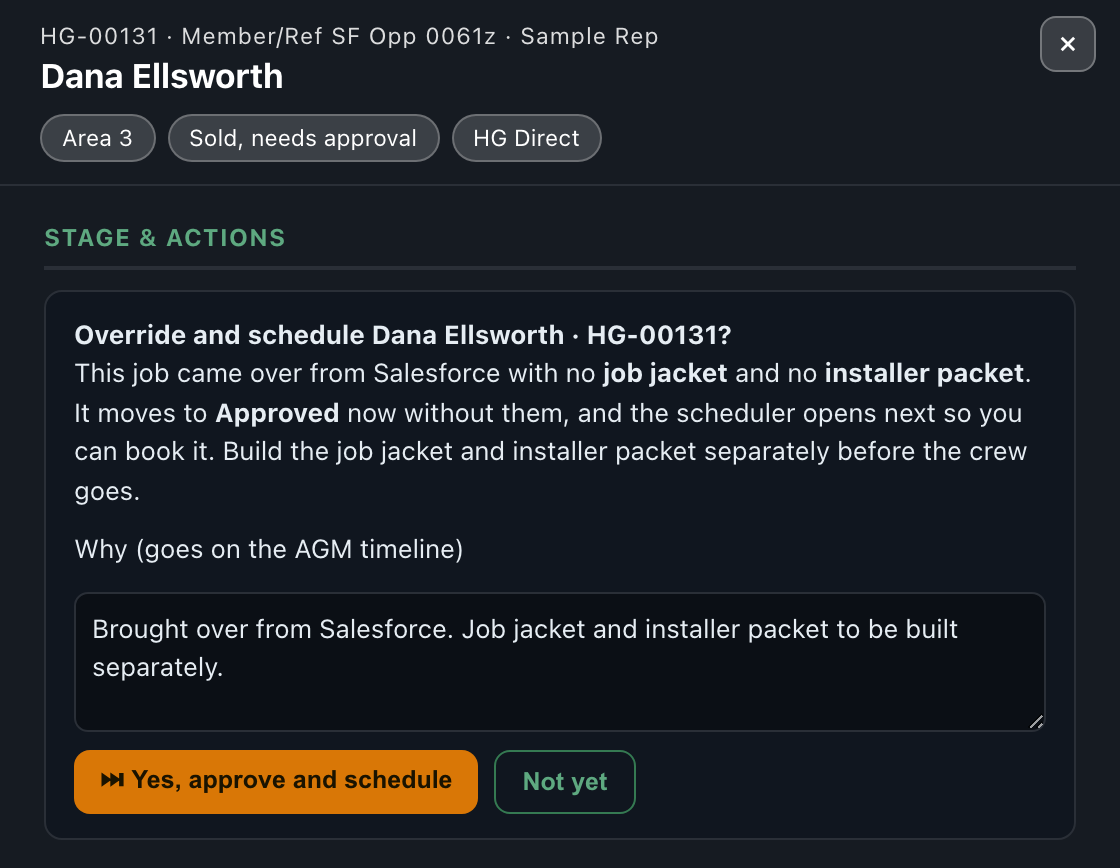
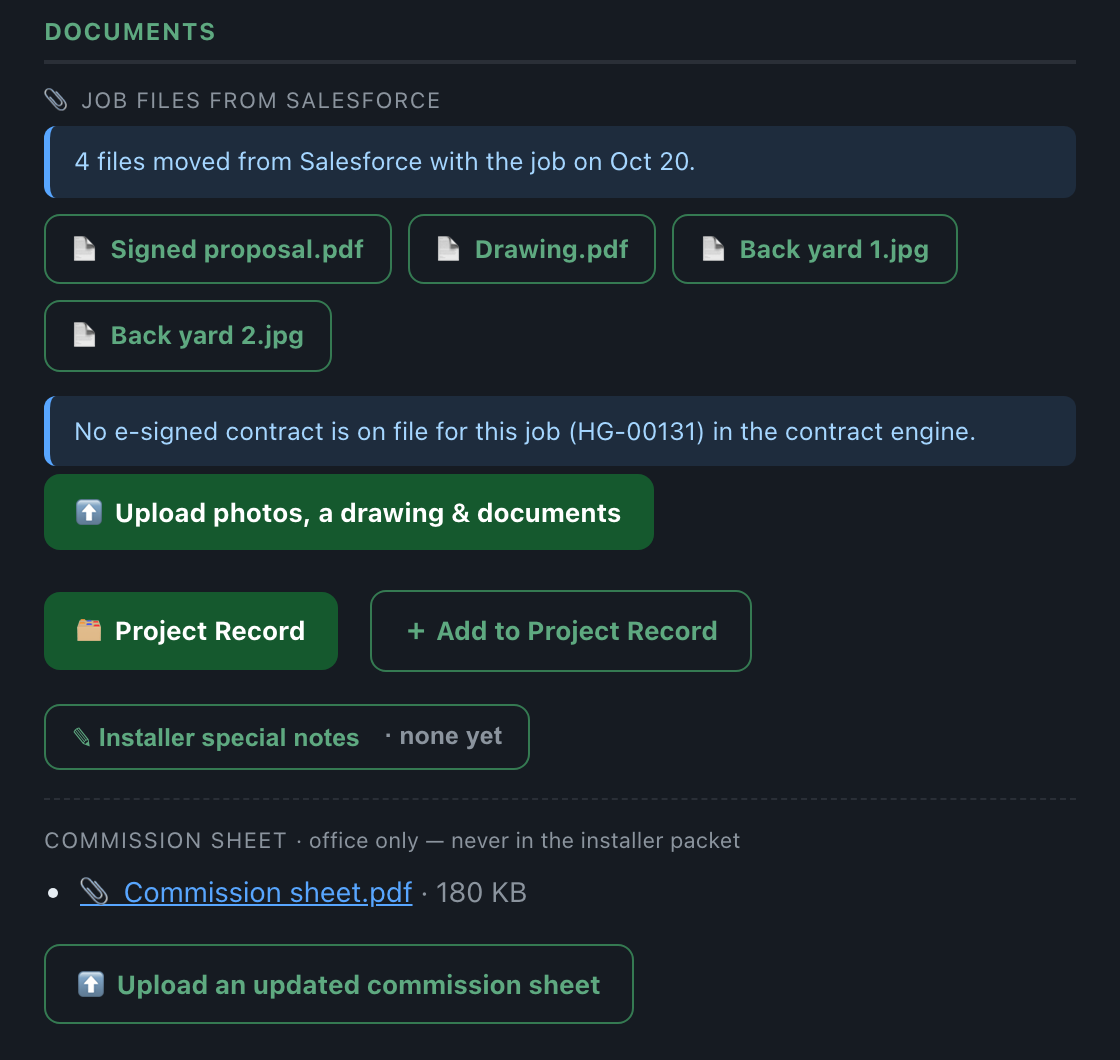
43 Salesforce jobs were moved into AGM on October 20 and 21. They have no job jacket or installer packet here.

⏭ Override to schedule, on a job moved from Salesforce
Override: approve now, then the scheduler opens
📎 Job files from Salesforce: the drawing, photos and proposal that came with it

New · ⊘ Cancel project

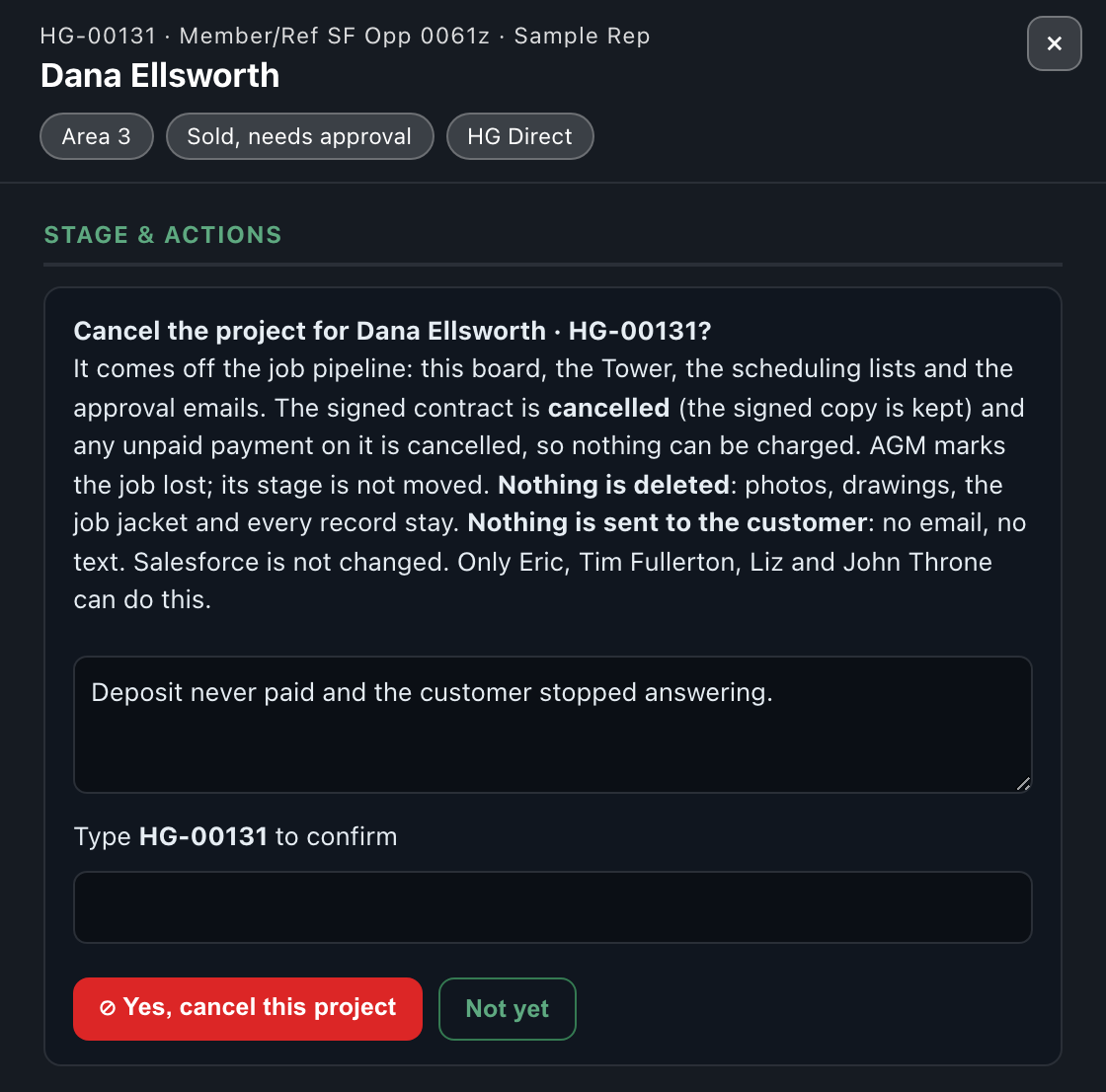
For a sold job that is not going ahead, for example a customer who never paid the deposit and stopped answering.

Cancel project: a reason, then type the job number

Step 4 · Ready to schedule

Every morning at 7am one email lists every job that can be booked, to Liz, Emma, Tim Fullerton, John Throne, Eric and Troy. It is residential only (Steve schedules commercial himself), has an Approved — not ready section with each job's reason and re-check day, and marks Salesforce jobs that are NOT IN AGM.

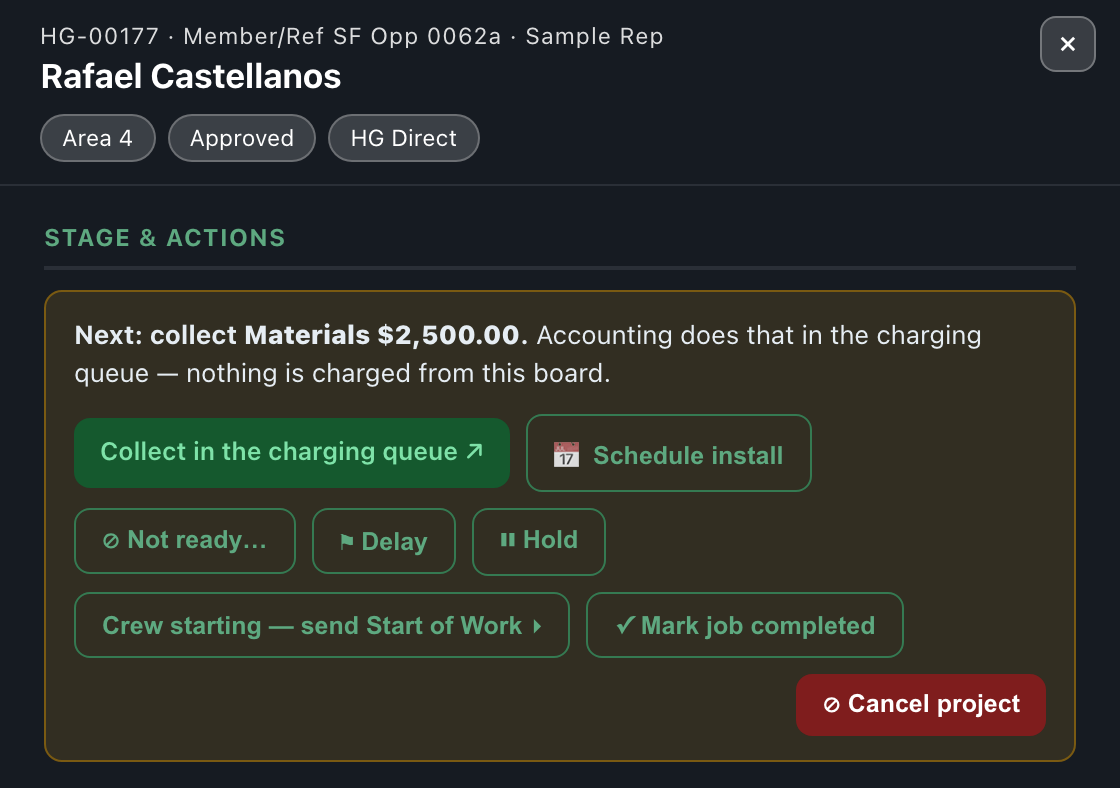
An approved job: Next, schedule it
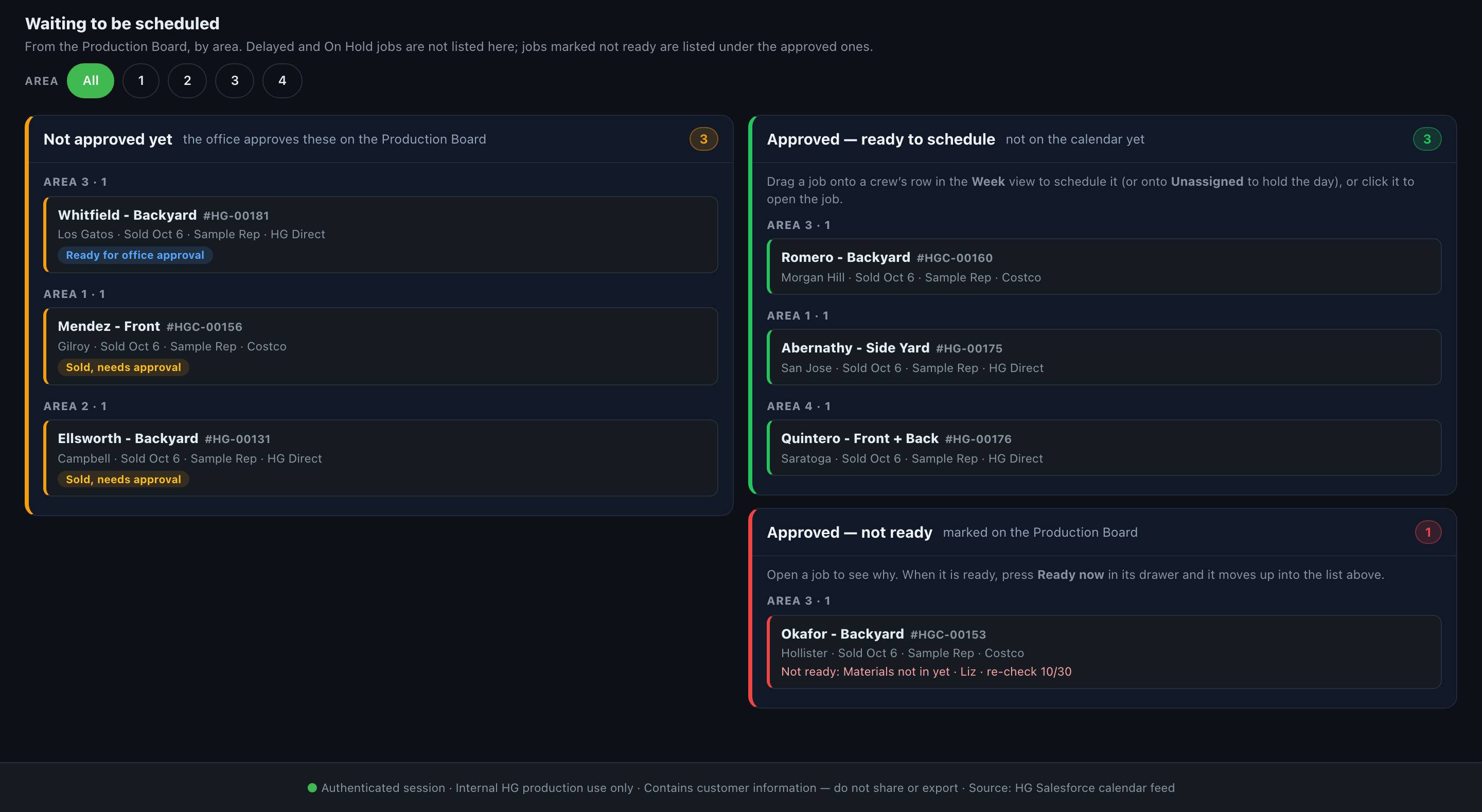
Waiting to be scheduled, under the Installation Calendar

The same list lives under the Installation Calendar: Not approved yet on the left, Approved — ready to schedule on the right, and Approved — not ready below it. Click a job to open it. Mondays and Fridays at 6:50am the Job Approval Sweep emails what is still waiting for approval.

Step 5 · Schedule the install

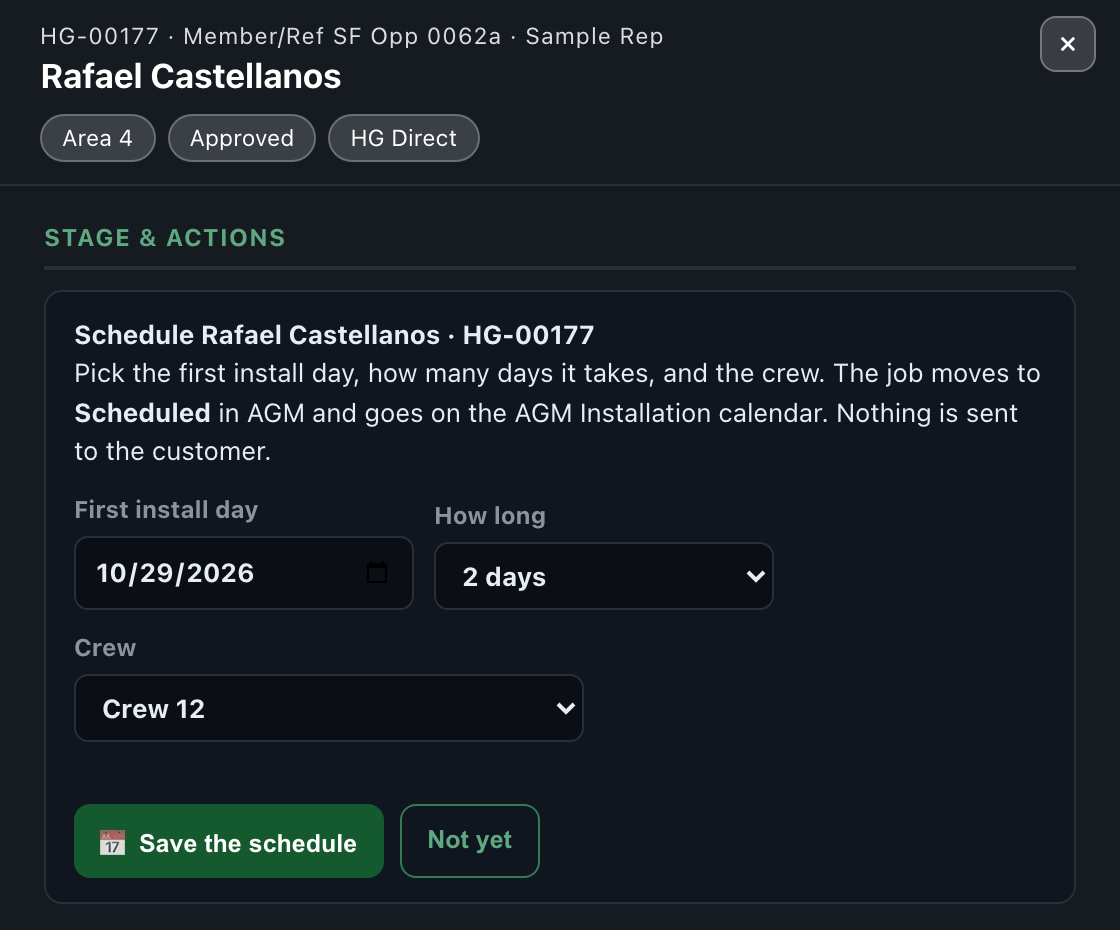
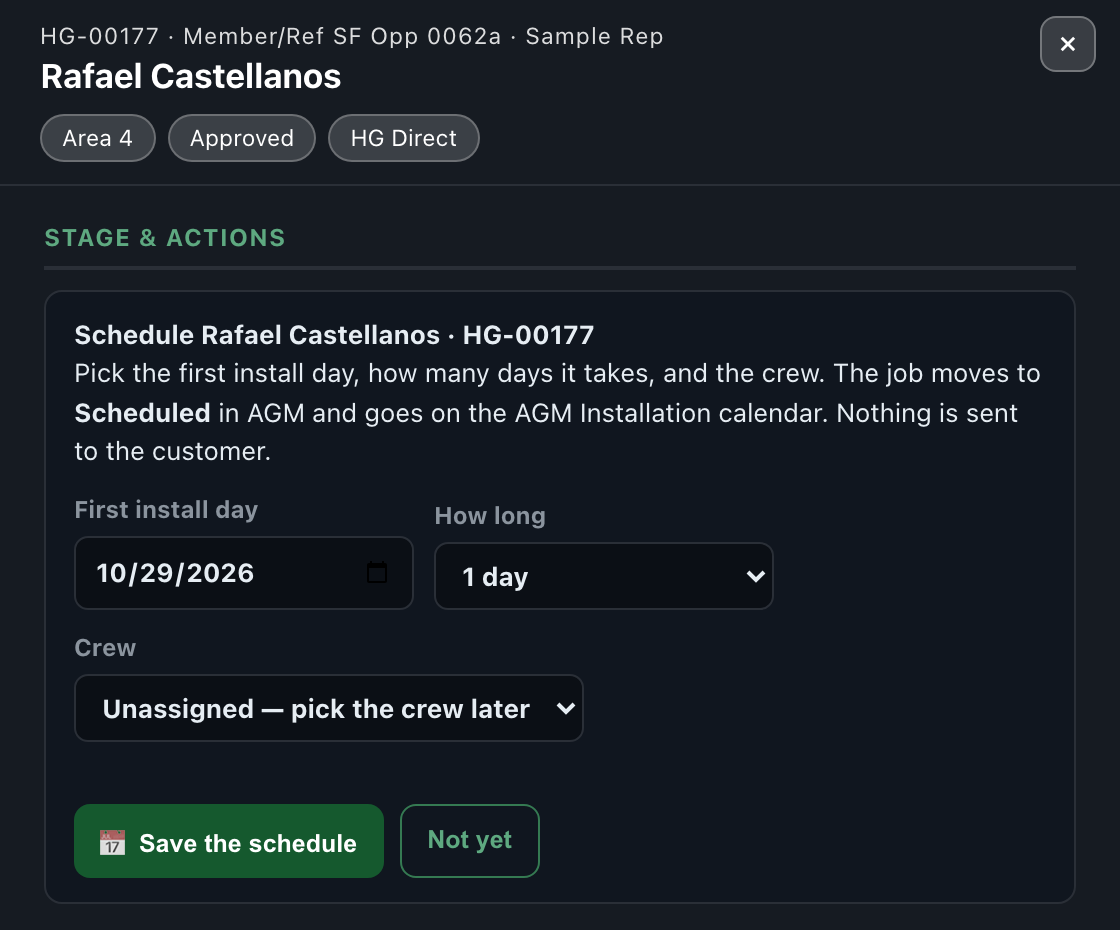
In the job's drawer press 📅 Schedule install: first day, how many days, and the crew.

Schedule: first day, how long, crew
New: Unassigned holds the day before the crew is known
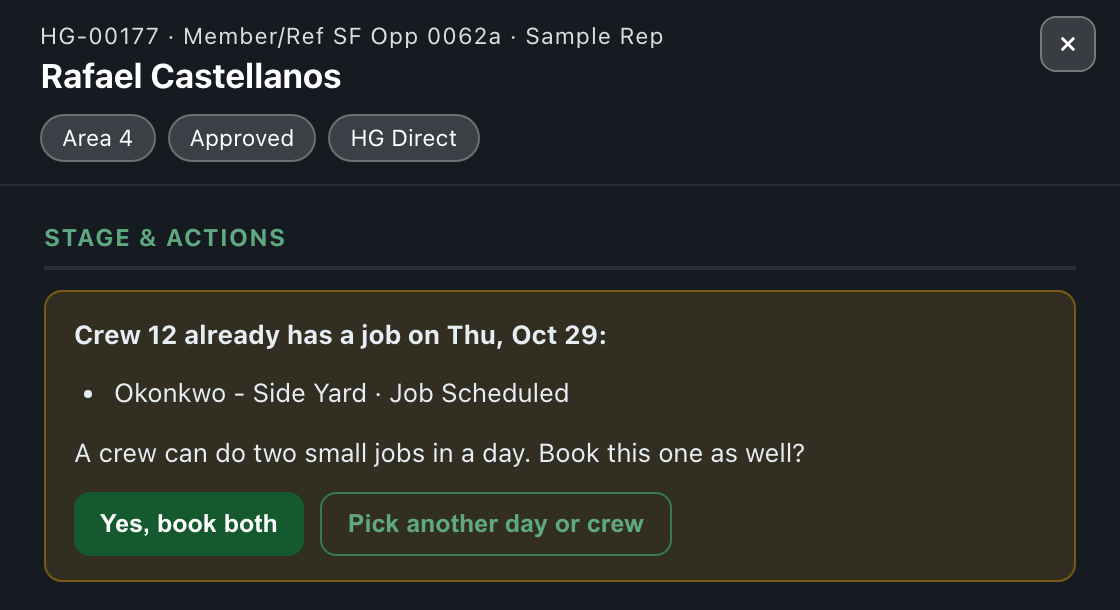
If the crew already has a job those days, it asks first
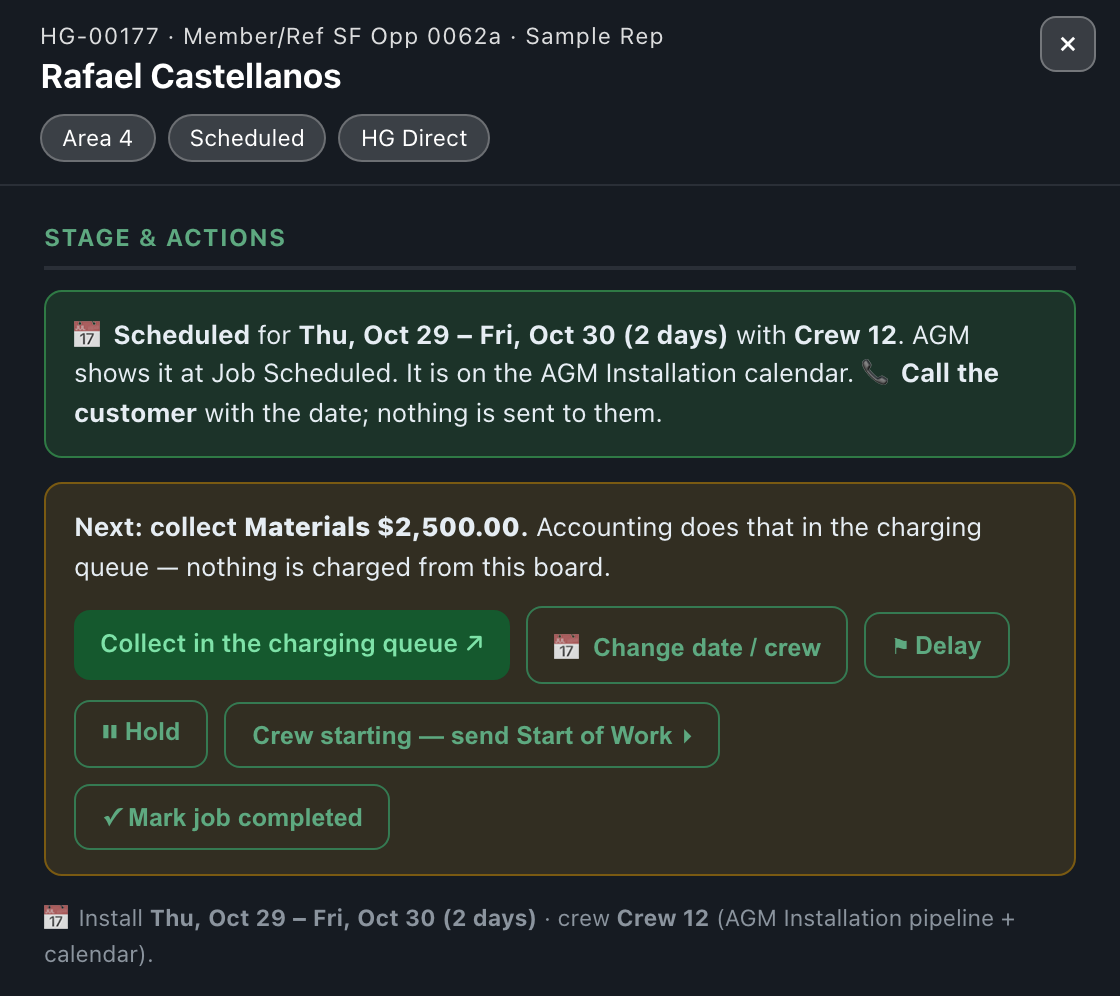
Booked: Job Scheduled in AGM, on the calendar, call the customer

The Installation Calendar

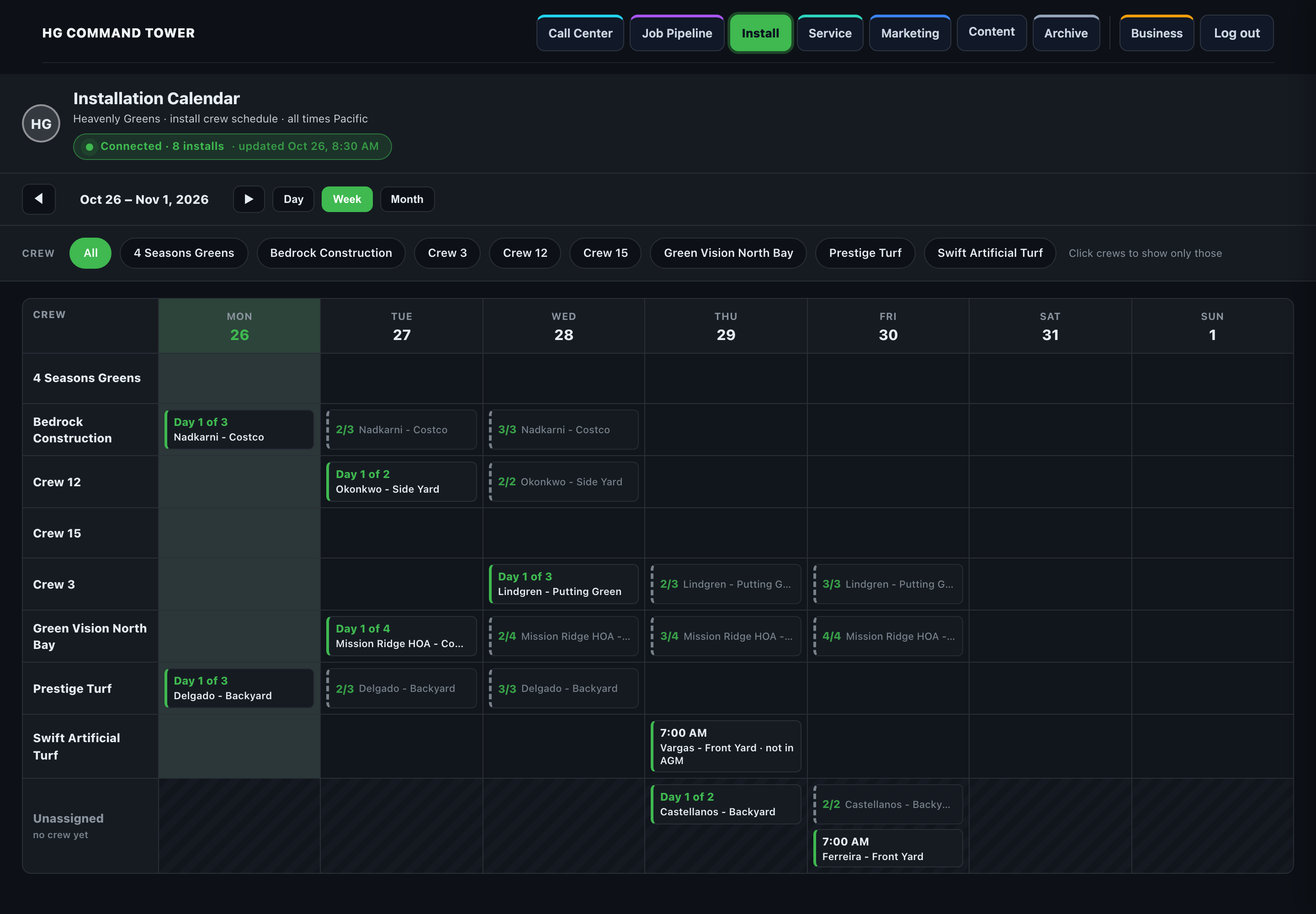
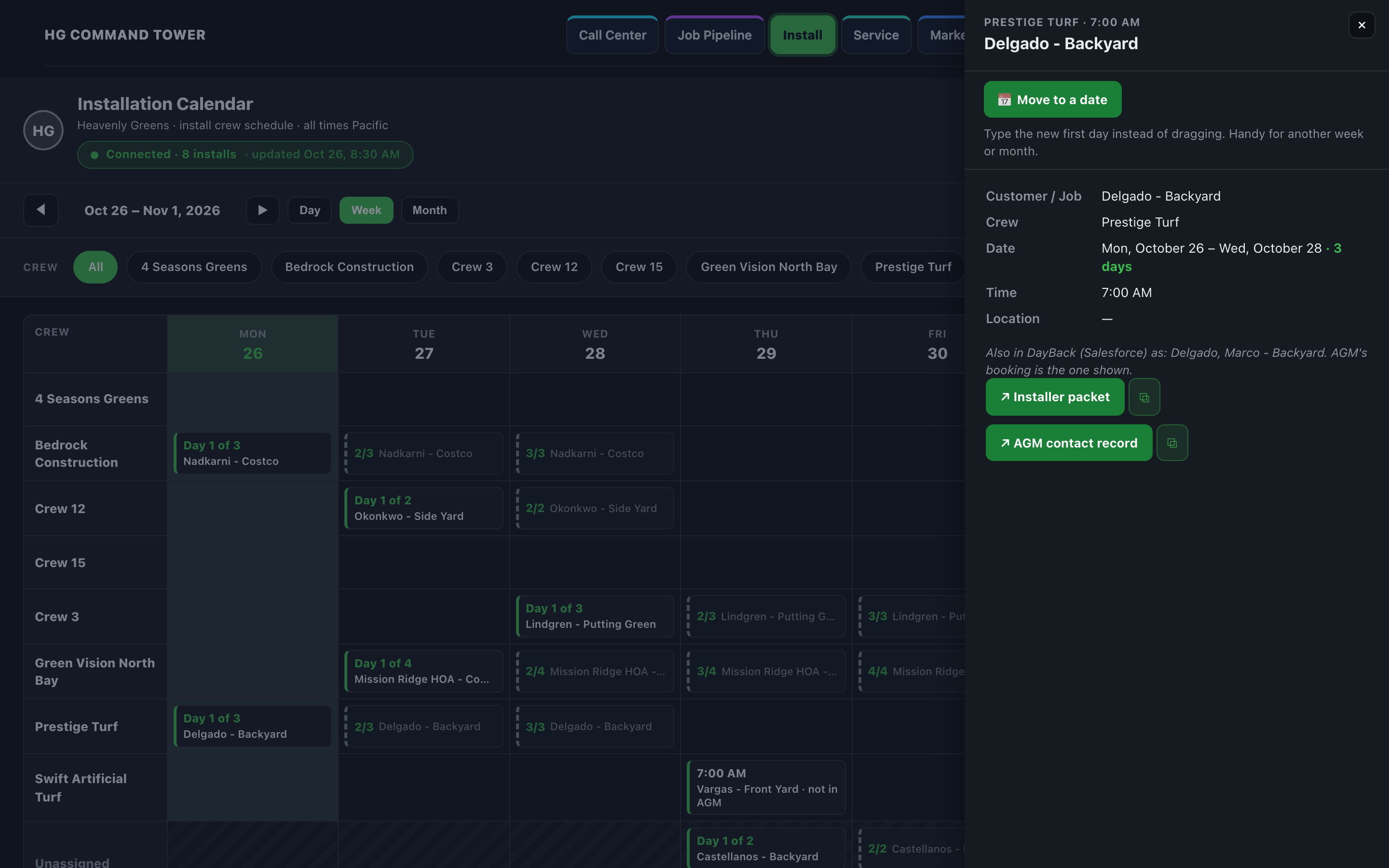
Crews down the side, days across. A three-day job shows as Day 1 of 3, 2/3, 3/3 on its crew's row. Unassigned is always the last row.

The Installation Calendar, week view
New: one tile per install, and Move to a date

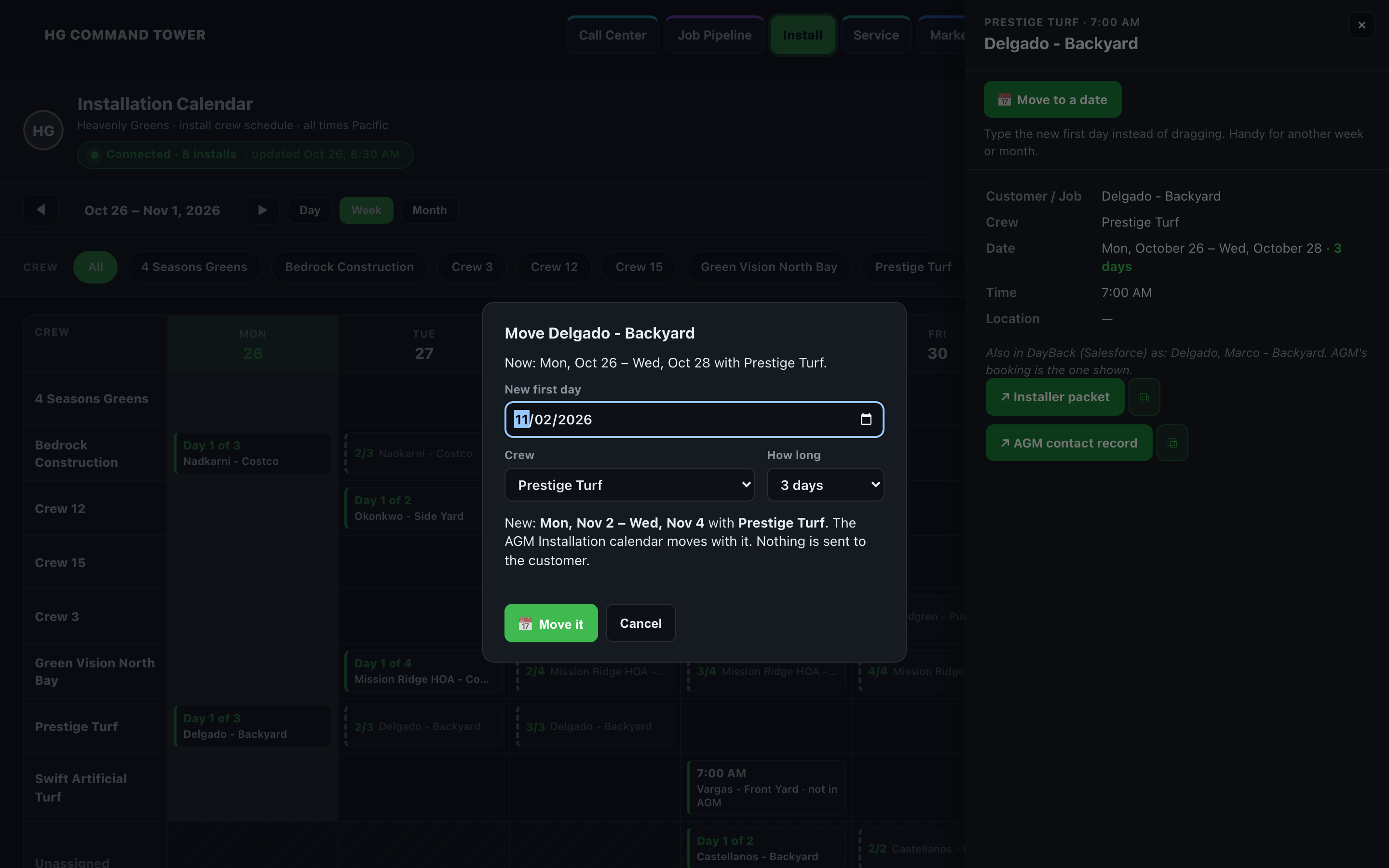
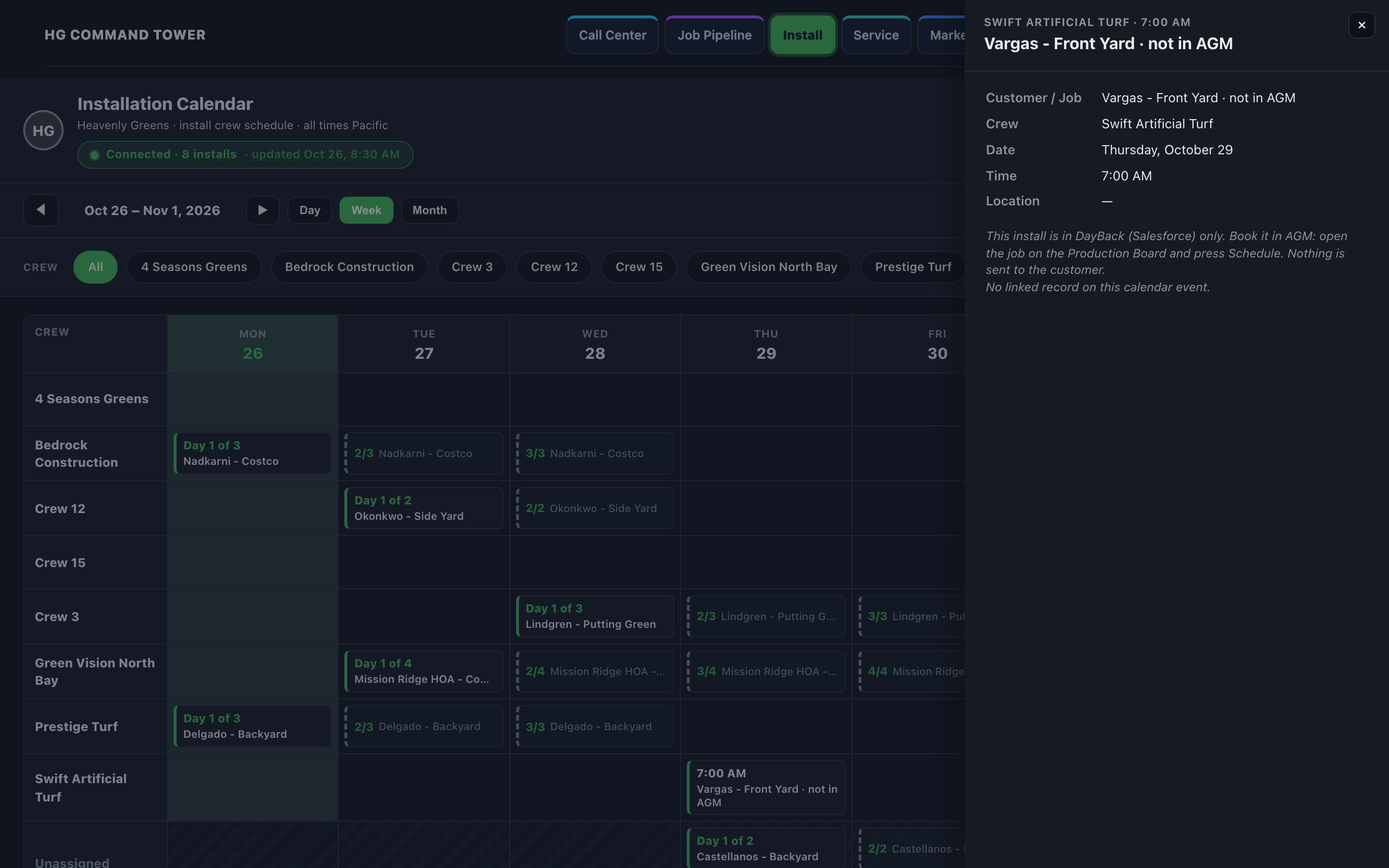
Moving a job, and DayBack-only installs

Move to a date: new first day, crew, how long
An install only in DayBack says "not in AGM"

Step 6 · Delay or hold, with a reason

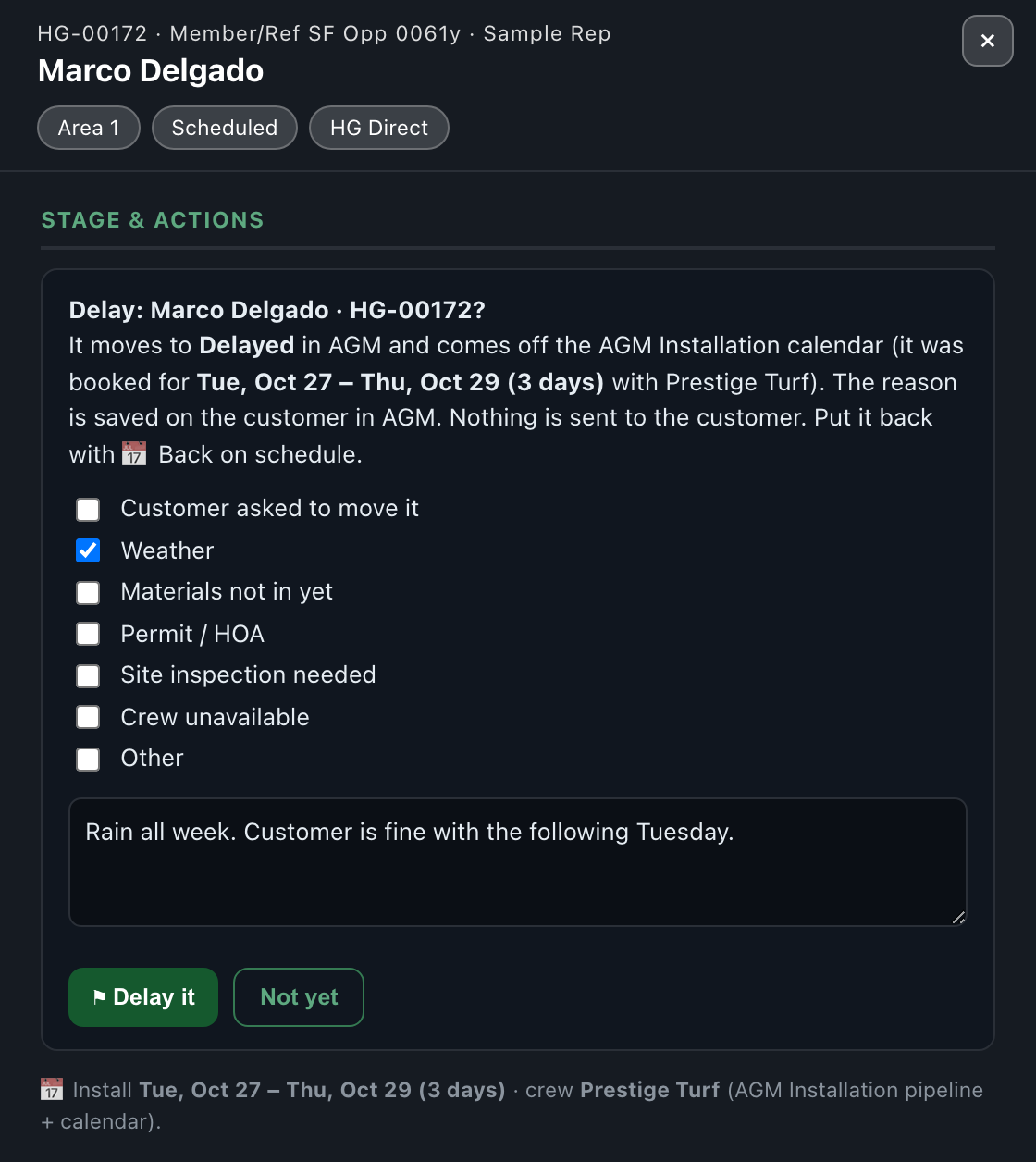
From the drawer: ⚑ Delay or ⏸ Hold, with a reason (customer asked to move it, weather, materials not in yet, permit / HOA, site inspection needed, crew unavailable, or other).

Delay: pick the reason, add a note
A scheduled job's buttons

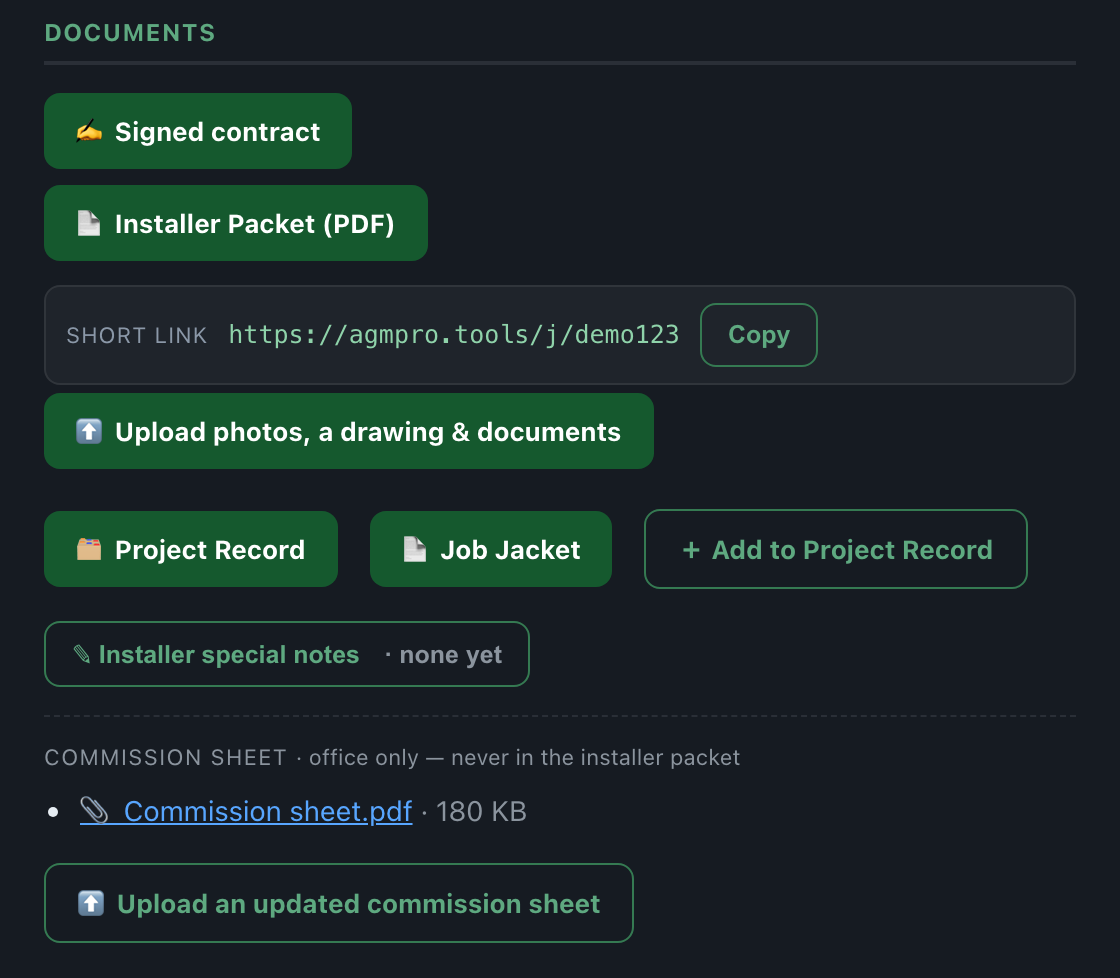
Step 7 · The crew gets the job

The day before, Liz or Emma opens the job's drawer, presses Copy next to the Short link, and pastes it into the crew's group text. Crews never get email.

Documents: the installer packet short link and its Copy button

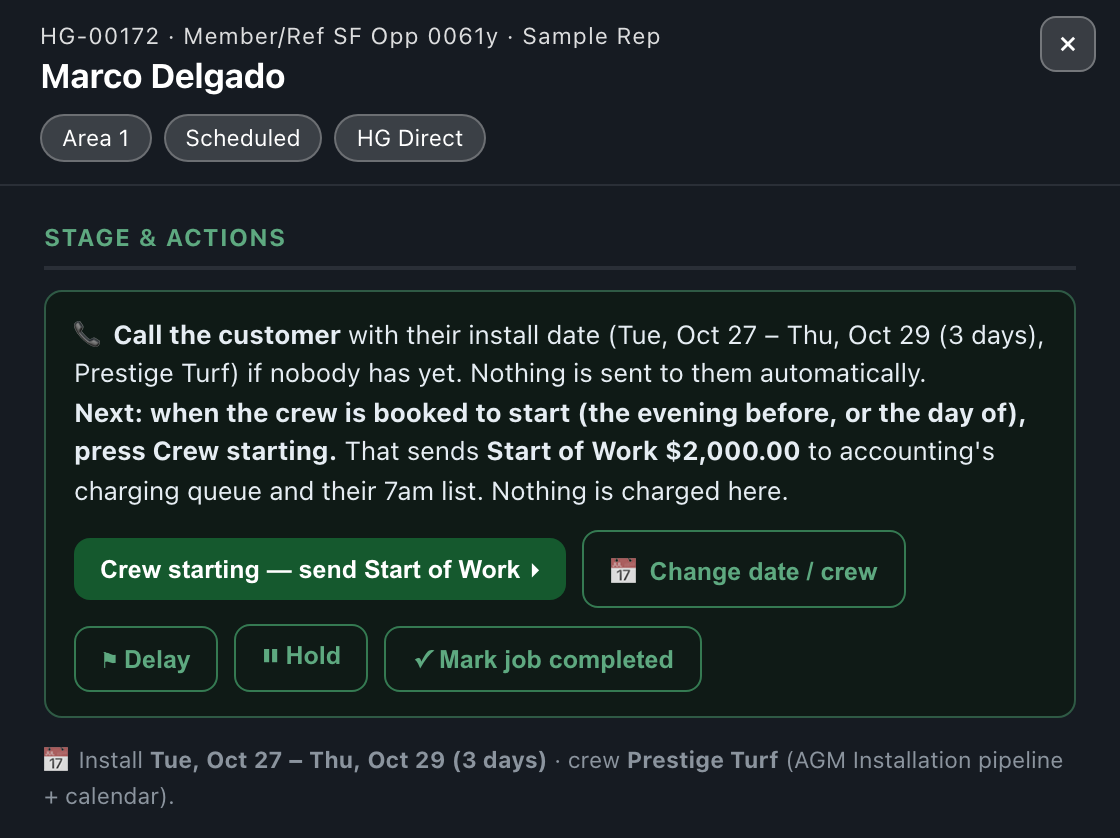
Step 8 · Crew starting (HG Direct)

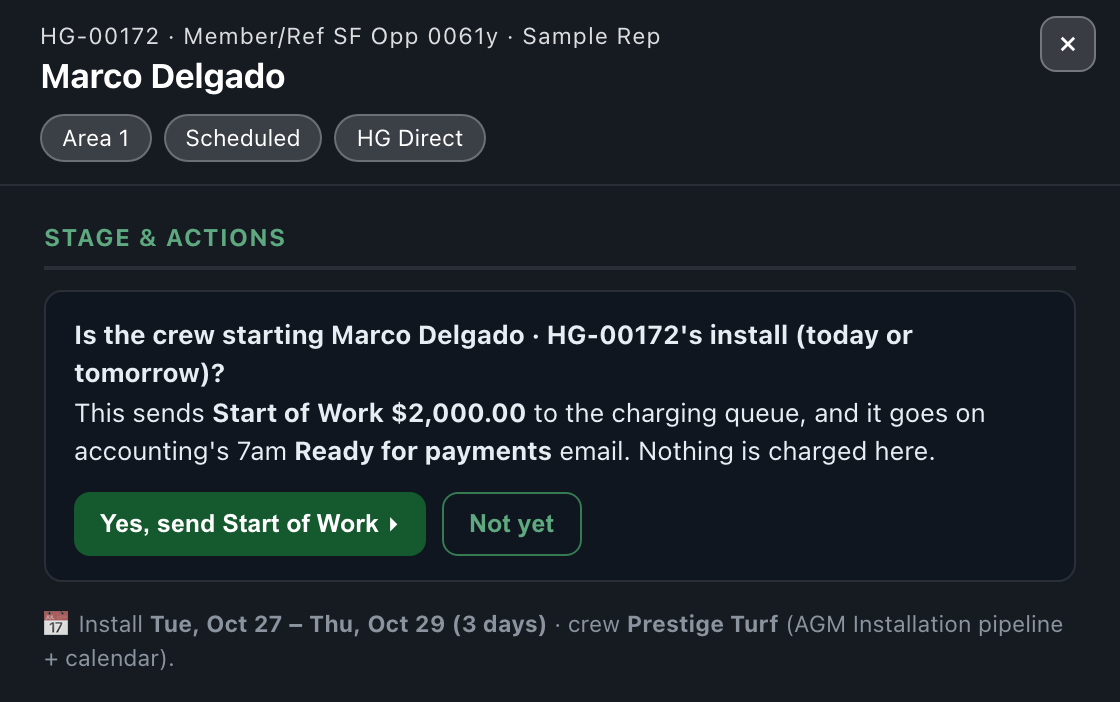
The evening before, or the morning of, press Crew starting — send Start of Work.

Crew starting: what it does

Step 9 · Has the crew finished? Four answers

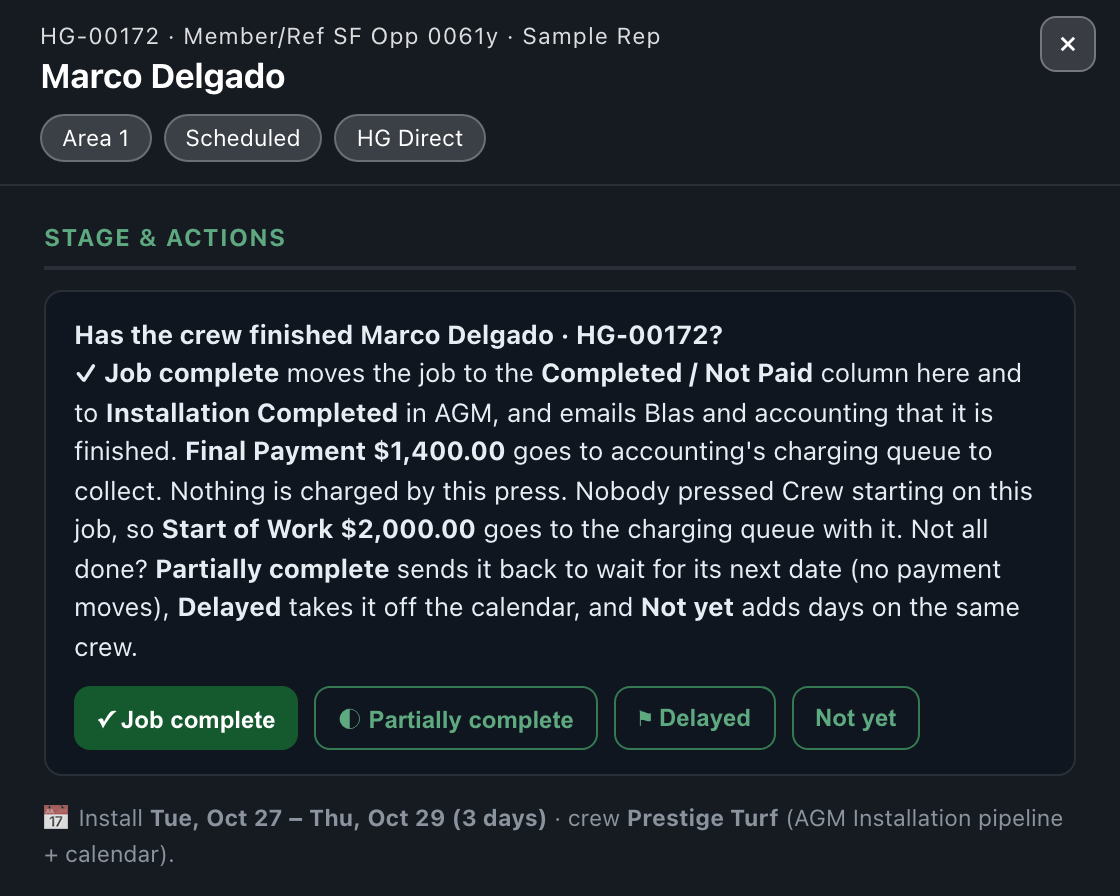
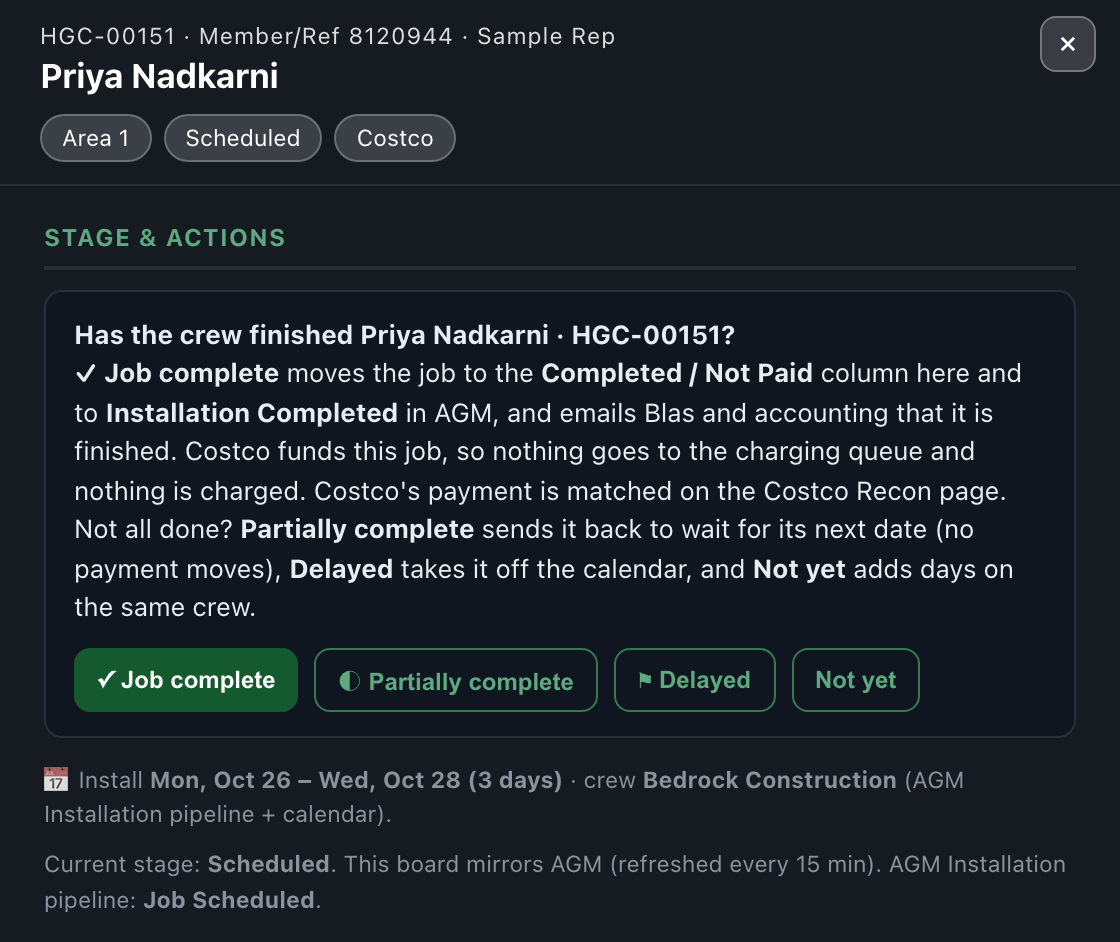
Press ✓ Mark job completed. Nothing happens until you pick one of four answers. New: the button now shows on every scheduled job.

Has the crew finished? Four answers

None of the four sends anything to the customer.

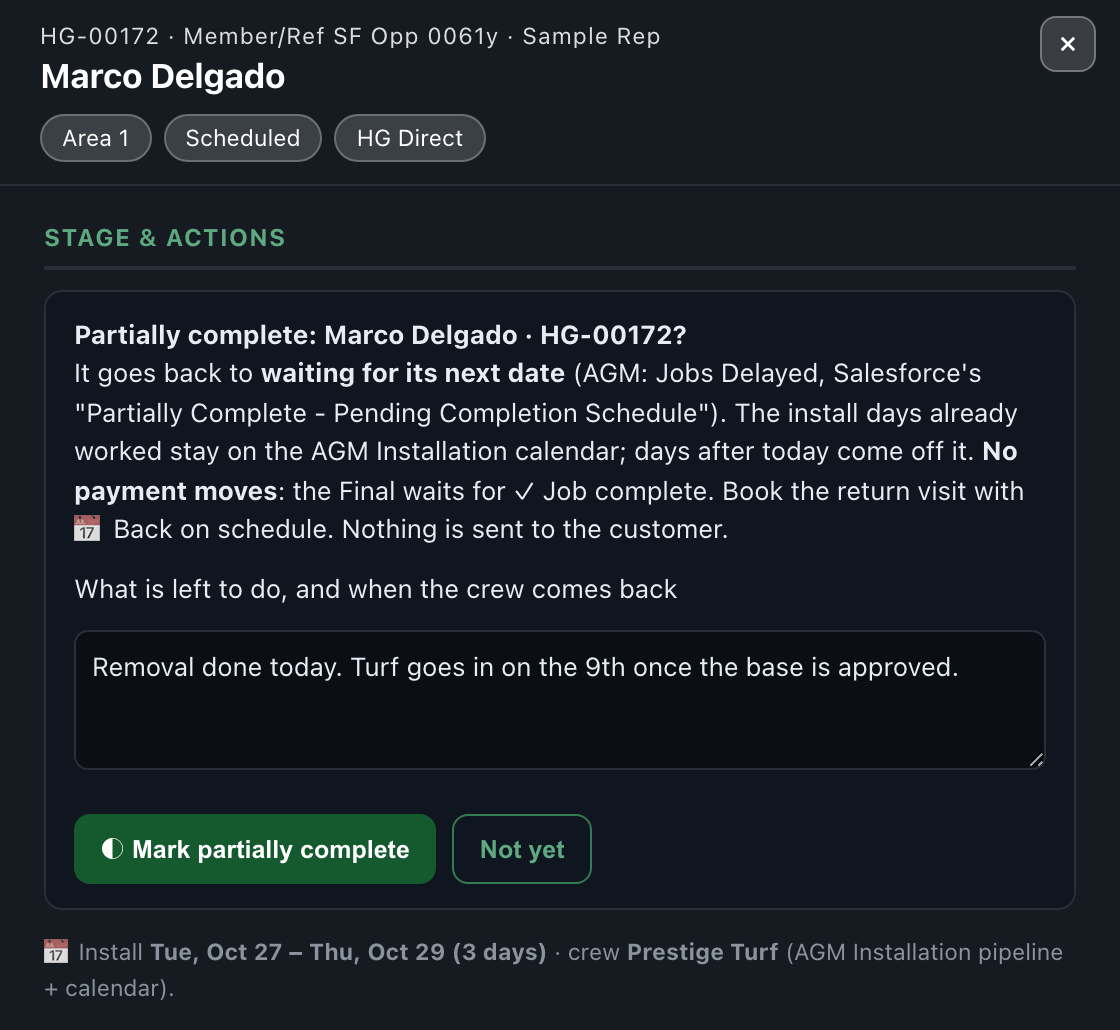
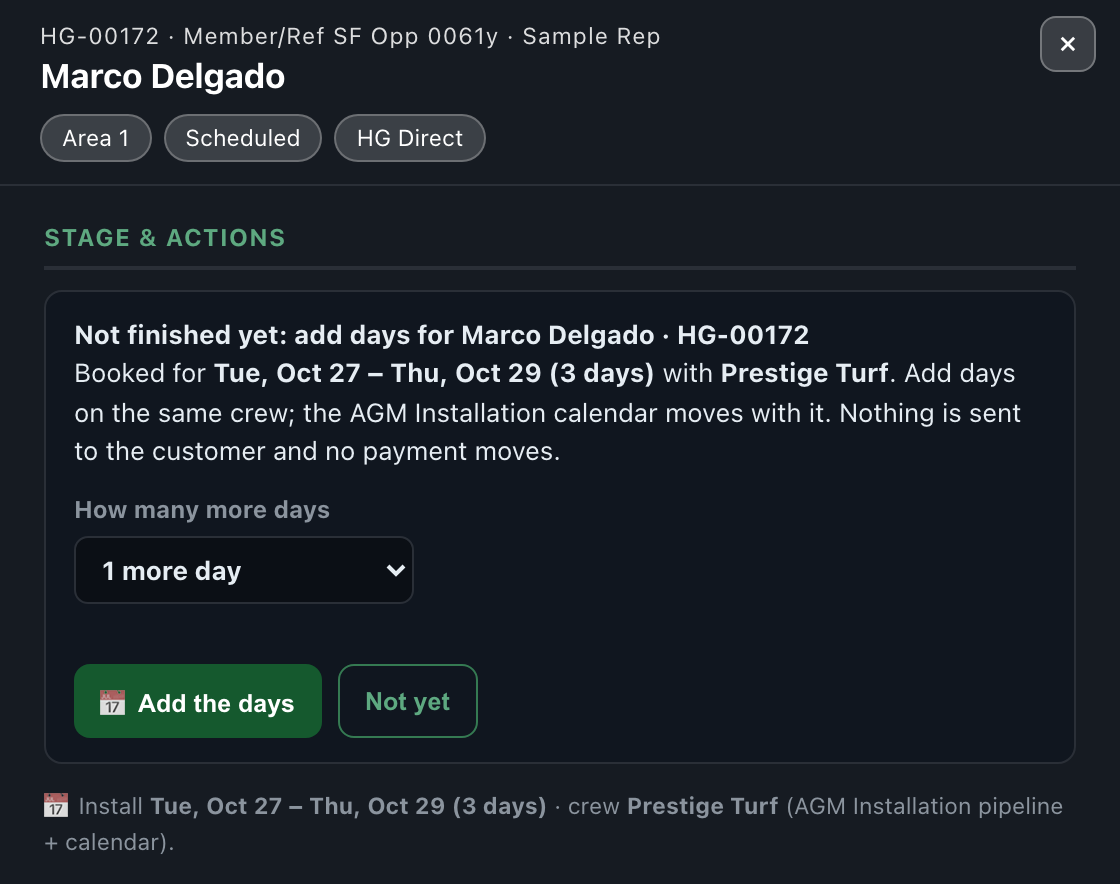
Partially complete, and Not yet

Partially complete: what is left and when the crew returns
Not yet: add days on the same crew

Job complete, and what accounting sees

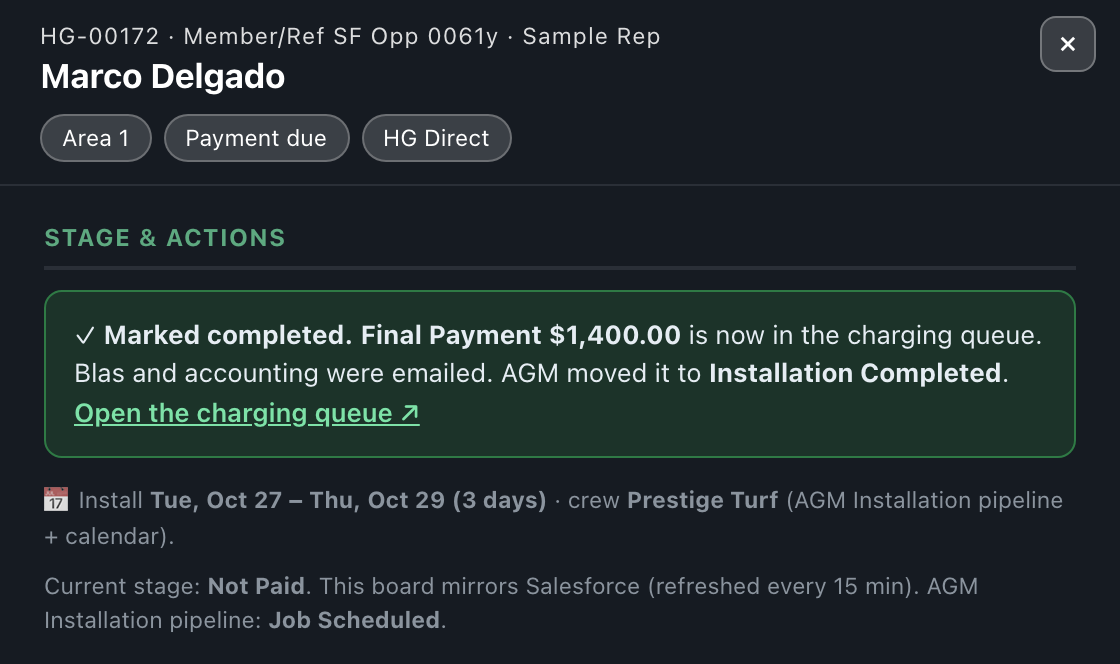
Job complete: Final Payment to the Charging Queue
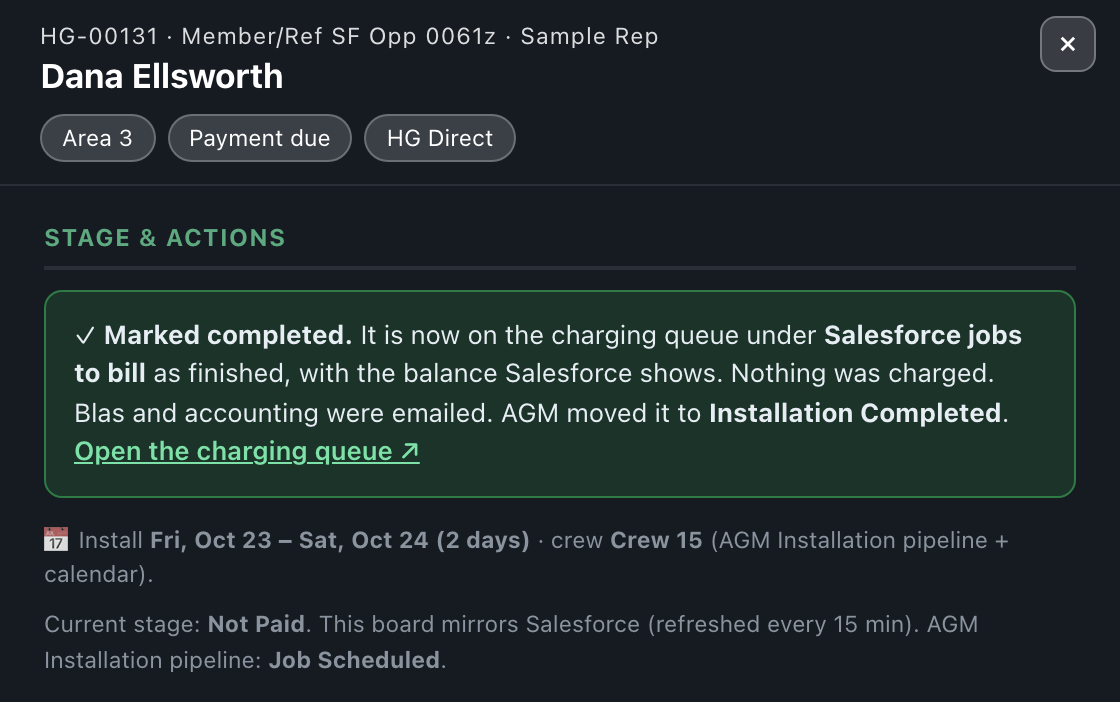
A Salesforce-sold job lands in Salesforce jobs to bill

New · Marked complete by mistake? Hold the payment

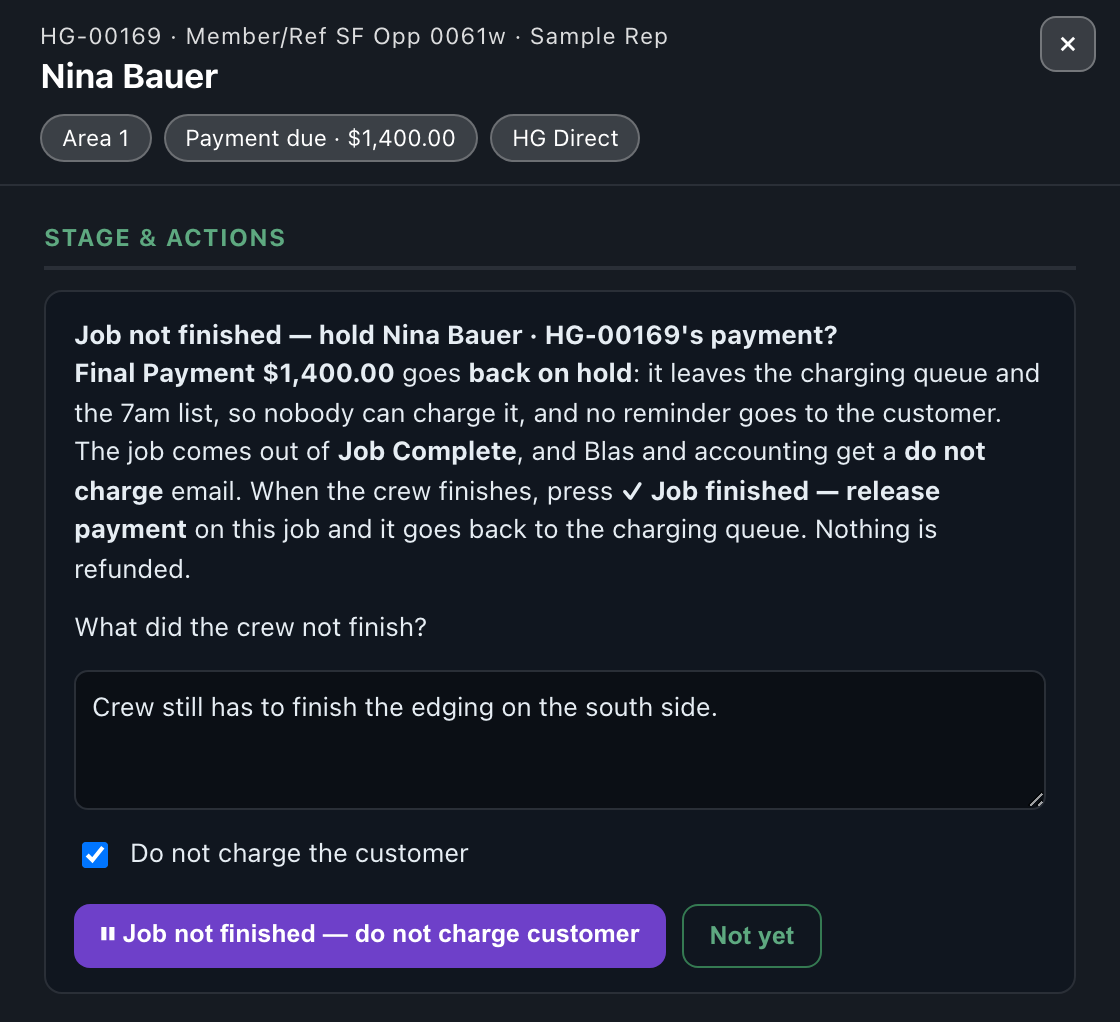
If a job was marked complete but the crew did not actually finish, open it in Completed / Not Paid and press the purple ⏸ Job not finished — do not charge customer.

Hold payment: say what is not finished and tick the box

Costco · How the money is different

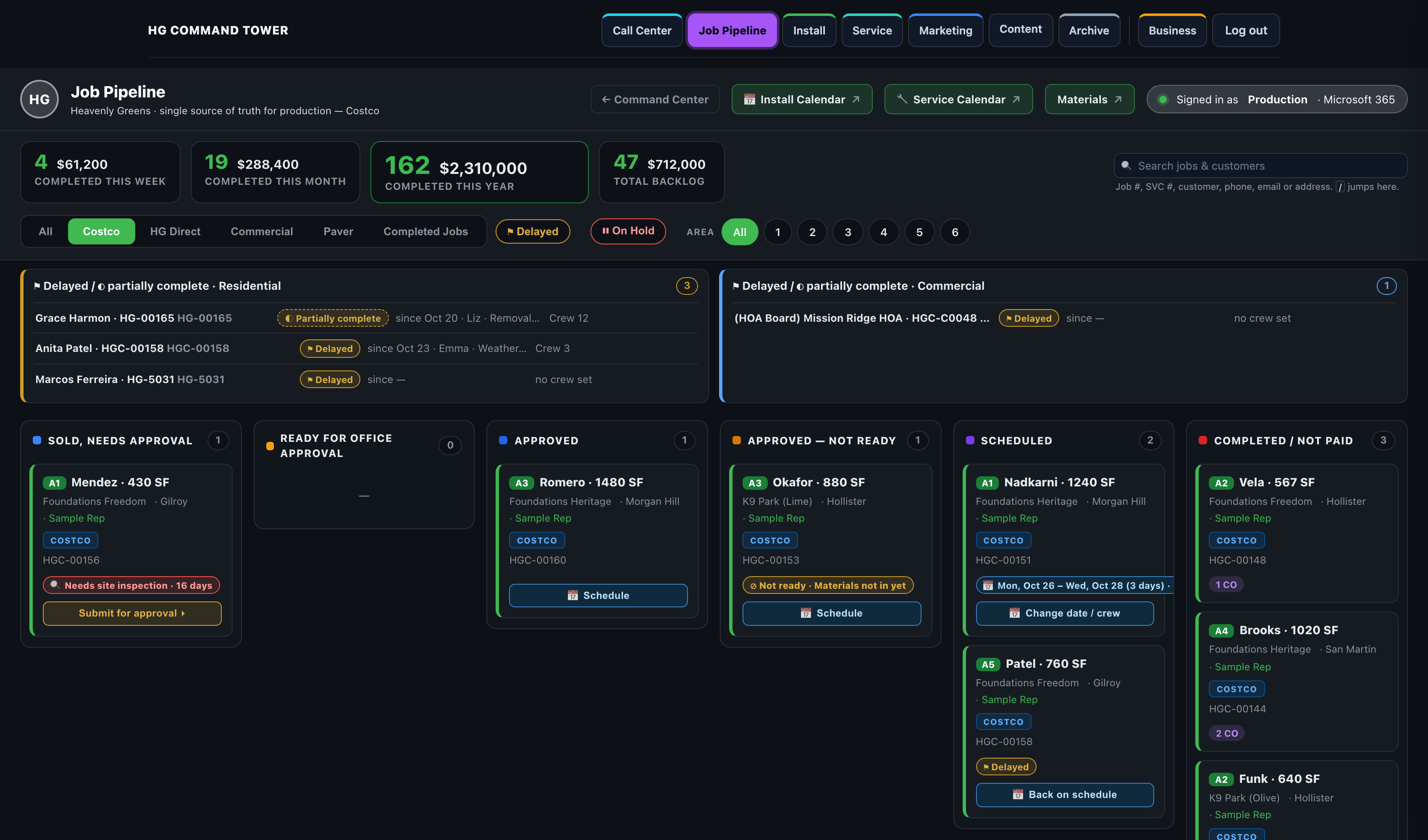
Costco jobs run through the same board and the same buttons. The money runs the other way.

HG Direct Costco
Who the customer pays Heavenly Greens, through the Charging Queue Costco. Eric charges the member's card in CENTAH after the cancellation window (3 business days, 5 if the member is 65+)
How Heavenly Greens gets paid Customer payments collected step by step Costco pays Heavenly Greens after the install, once Eric submits the completion in CENTAH and Costco approves it
Where it is checked Charging Queue Costco Recon (Accounting)
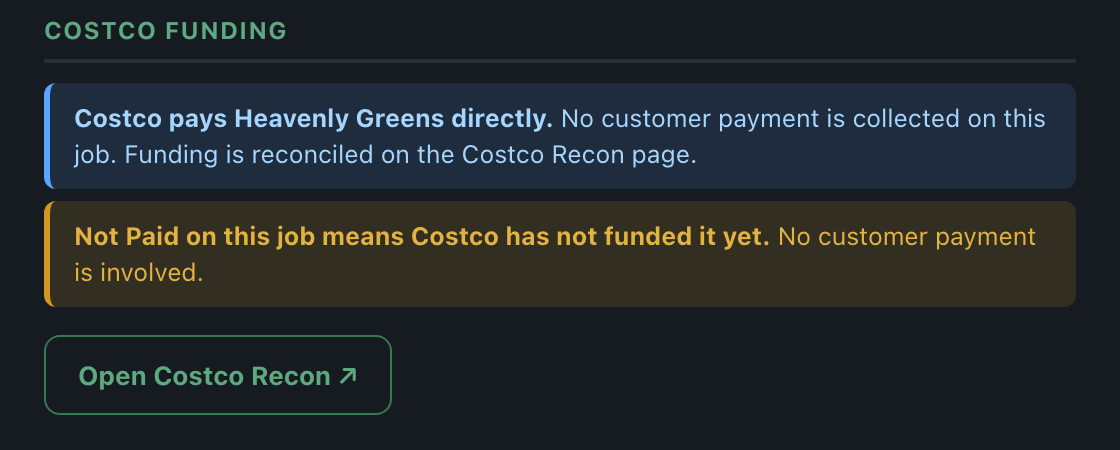
The drawer's money box Payments & Balance Costco funding
"Not Paid" means the customer owes a payment Costco has not funded it yet
The Costco tab on the Job Pipeline

Commission on a Costco job is paid once Costco has paid Heavenly Greens.

Costco · Step by step

  1. Lead: the Costco lead email arrives and an AGM contact is made automatically. The call center books the appointment in AGM.
  2. Contract: the sales rep presses Build Costco Contract on the AGM contact (it needs the Lead #, Membership #, HIS # and 65+), reviews it, and sends it. The member signs. The job gets its HGC number and lands in Sold, needs approval on the Costco tab.
  3. CENTAH sale: the sales rep sells the lead in CENTAH and submits the sold details. Costco emails the member a payment link. The rep pastes the 12-digit PO into Costco - PO Number in AGM.
  4. Member charged: after the cancellation window Eric charges the card in CENTAH and writes "CC Charged in Full" on the AGM contact. Costco collected ticks itself in the drawer.
  5. Ready for approval: automatic once the job jacket is complete. No deposit check.
  6. Approve: the office checks Costco collected, then presses ✓ Approve job. No payment is released.
  7. QuickBooks: Zima sets up the customer and estimate. Nothing is charged.
  8. Schedule: Liz or Emma books it exactly like HG Direct, and calls the member with the date.
  9. Install day: the crew gets the packet link by group text. No Crew starting button for Costco.
  10. Complete: press ✓ Mark job completed → ✓ Job complete. Blas and accounting are emailed, copying Tim and Eric: "submit in CENTAH by" the next day.
  11. CENTAH completion: Eric submits the completion in CENTAH within a day.
  12. Costco pays: Blas uploads Costco's Payment History on Costco Recon to match it.

New · Costco collected, in the drawer

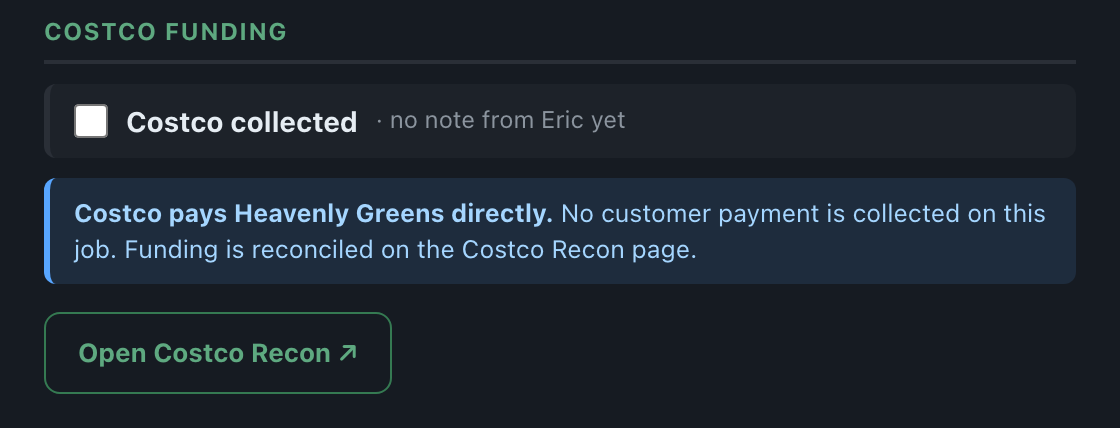
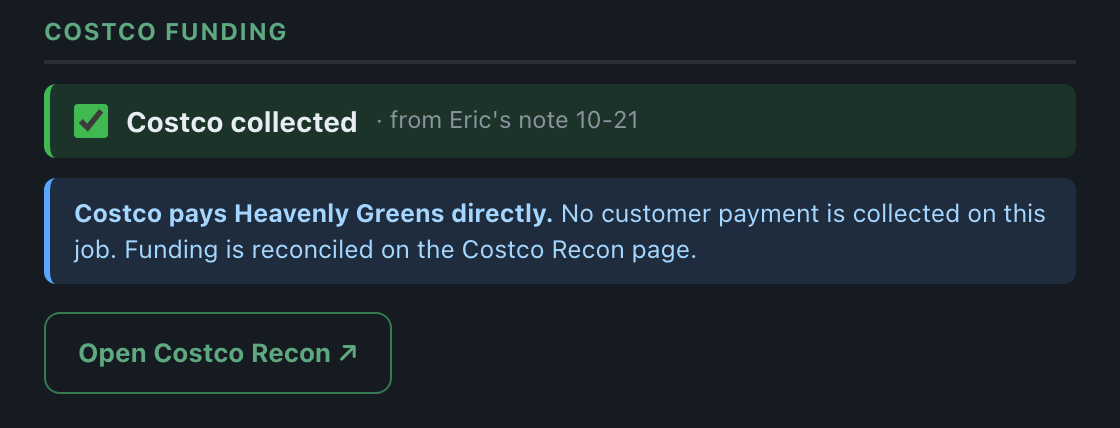
The first line of a Costco job's Costco funding box. It means Costco has charged the member's card (not that Costco has paid Heavenly Greens yet).

Costco collected, ticked from Eric's note
Not collected yet: no note from Eric

Costco · Completing the job

Has the crew finished? on a Costco job
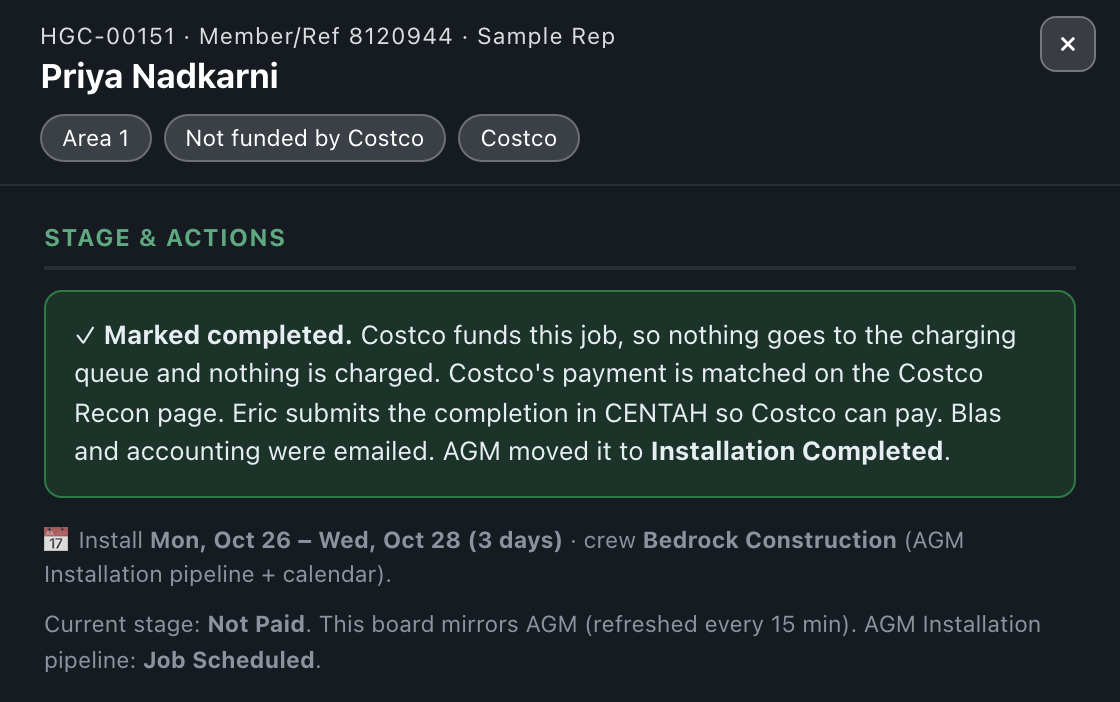
Marked completed: Costco funds it, Eric submits it in CENTAH
Completed / Not Paid on Costco: Costco has not funded it yet

Which button, when

When Who Press
Inspection done Office ✓ Site inspection done
Job jacket in Office ✓ Approve job or ✗ Reject
Approved but can't be booked Liz / office ⊘ Not ready…, later ✓ Ready now
Need an answer from the sales rep Liz / office ✉ Status update
Moved from Salesforce, no jacket Liz / office ⏭ Override to schedule
Not going ahead at all Eric, Tim, Liz, John ⊘ Cancel project
Ready to book Liz / Emma 📅 Schedule install (or drag on the calendar)
Date or crew changes Liz / Emma 📅 Move to a date, drag, or Change date / crew
Can't go ahead this week Liz / Emma ⚑ Delay or ⏸ Hold, later 📅 Back on schedule
Day before install Liz / Emma Copy the short link into the crew's group text
Something changed after the link went out Rep / office Update Packet on the uploader
Crew is starting (HG Direct) Liz / Emma Crew starting
Crew reports in Liz / Emma ✓ Mark job completed → one of four answers
Marked complete by mistake Liz / office ⏸ Job not finished — do not charge customer
Costco member charged Eric the note in AGM; Costco collected ticks itself
Completed Jobs: everything finished

Every button asks first and says what will happen. None of them sends anything to a customer.

What runs by itself, and what is off on purpose

Today
Sold → Ready for approval (every 30 minutes) ✅ On
7am Ready to Schedule email ✅ On
Job Approval Sweep, Mondays and Fridays 6:50am ✅ On
Schedule, Delay / Hold, drag and Move to a date write AGM and its calendar ✅ On
Crew starting → AGM Installation Started ✅ On
Job complete → AGM Installation Completed, Blas and accounting emailed ✅ On
Site inspection done email and the 15-day sales rep reminder ✅ On (since Oct 25)
Customer told the install date, or reminded the day before ⛔ Off on purpose: the office calls
Final payment link sent automatically when a job completes ⛔ Not built yet: accounting sends it
Completed-but-unpaid reminders to customers 🔌 Test mode: sends nothing
AGM bookings copied back into Salesforce or DayBack ⛔ No

Anything that does not match what you see on a real job: reply to the email this guide came in and it gets fixed the same day.